Most small business owners didn’t start their company because they love bookkeeping. You probably got into this to sell a product, offer a service, or build something you’re passionate about — not to learn double-entry accounting. Unfortunately, the books still need to get done, and if the software you’re using assumes you already understand debits, credits, and journal entries, you’re going to spend more time confused than productive.
The good news is that several accounting platforms are specifically designed with non-accountants in mind. They translate financial concepts into plain language, automate the parts that used to require expertise, and guide you through decisions instead of leaving you to figure it out alone. This guide covers the best options and how to choose between them.
What Makes Accounting Software “Non-Accountant Friendly”
Before comparing tools, it helps to know what actually separates a beginner-friendly platform from one built for trained bookkeepers. The interface should use everyday language — “money in” and “money out” instead of “debits” and “credits” — and guide you through setup with plain-English prompts rather than assuming you know your chart of accounts already.
Bank connections should be automatic, pulling in transactions and suggesting categories rather than requiring manual entry line by line. Reports should be visual and simple, showing you at a glance whether you’re profitable, not burying that information in a dense financial statement you need training to interpret. And support should be responsive and genuinely helpful, since you’ll likely have basic questions that a trained accountant would never need to ask.
QuickBooks Simple Start
QuickBooks is the most recognized name in small business accounting, and its Simple Start plan strips away the more complex features to focus on core functionality: invoicing, expense tracking, and basic reporting. The dashboard shows your profitability, outstanding invoices, and cash flow in plain visual terms.
Its strengths include an enormous library of tutorials and community support, given how widely used it is, automatic bank feed categorization that gets smarter over time, and a mobile app that lets you handle basic bookkeeping from your phone. Where it falls short is that as your business grows, you’ll likely need to upgrade to a higher tier, and some users find the constant upsells to add-on services a bit much. It’s best for solopreneurs and small business owners who want the most widely supported option with room to grow into more advanced features later.

Wave
Wave is free accounting software built specifically for very small businesses and freelancers, and its simplicity is its biggest selling point. The interface avoids accounting jargon almost entirely, and the setup process asks you plain questions about your business rather than expecting you to configure a chart of accounts from scratch.
Its strengths are that it’s completely free for core accounting and invoicing, it has a clean and uncluttered interface, and it includes free receipt scanning through its mobile app. Where it falls short is that customer support is limited on the free tier, and it lacks some of the more advanced reporting that growing businesses eventually need. It’s best for freelancers, very small businesses, and anyone testing out formal bookkeeping for the first time without wanting to pay for it.
FreshBooks
FreshBooks started as invoicing software and expanded into full accounting, which means its accounting features are built around a service-business mindset rather than a traditional bookkeeping mindset. Everything is framed around clients, projects, and time tracking, which tends to feel intuitive to freelancers and consultants who think in those terms rather than accounting terms.
Its strengths include an extremely approachable interface, strong time tracking and project profitability tools, and excellent customer support that’s known for being patient with beginners. Where it falls short is that it’s less suited to product-based businesses with inventory needs, and its reporting, while simple, is less robust than QuickBooks for more complex situations. It’s best for freelancers, consultants, and service-based small businesses that want accounting software that speaks their language.
Xero
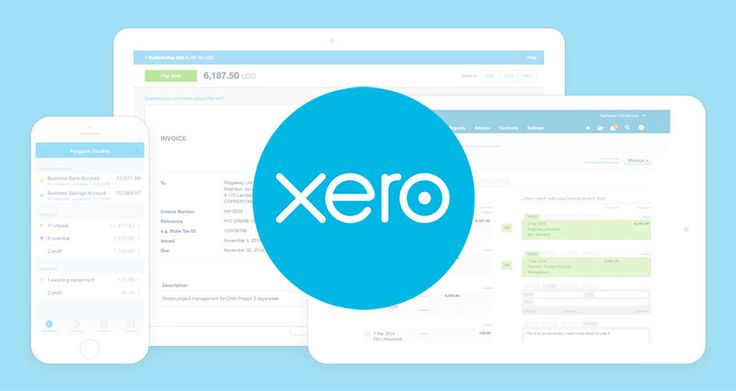
Xero is often considered QuickBooks’ biggest competitor, and while it’s a genuinely powerful platform, its interface tends to be cleaner and less overwhelming for beginners. Xero uses a dashboard-first approach that shows your bank balances, invoices, and bills in a simple visual layout before you ever have to dig into a report.
Its strengths are a modern, uncluttered interface, strong automatic bank reconciliation with intelligent matching, and a large marketplace of apps that integrate smoothly if you need to add functionality later. Where it falls short is that some of its terminology still leans slightly more technical than Wave or FreshBooks, and its base plan has transaction limits that can be restrictive. It’s best for small business owners who want a professional-grade tool that’s still approachable, especially if you plan to eventually work with a bookkeeper or accountant who’s familiar with Xero.
Zoho Books
Zoho Books is part of the larger Zoho ecosystem and offers a genuinely beginner-friendly experience with helpful in-app guidance throughout. It includes built-in workflows that walk you through common tasks step by step, which is particularly useful if you’ve never done bookkeeping before and don’t know where to start.
Its strengths include affordable pricing relative to competitors, strong automation for recurring transactions and reminders, and solid multi-currency support for businesses with international clients. Where it falls short is that its brand recognition is lower, meaning fewer third-party tutorials and community resources exist compared to QuickBooks. It’s best for budget-conscious business owners who want strong guided workflows without paying premium pricing.
Bench (Done-For-You Bookkeeping)
If the idea of doing your own bookkeeping — even with beginner-friendly software — still feels overwhelming, Bench takes a different approach entirely: it pairs you with real human bookkeepers who do the work for you, while giving you simple software to view your financials. You’re not really “using accounting software” in the traditional sense; you’re reviewing reports that someone else prepared.
Its strengths include zero bookkeeping knowledge required, since a human handles the categorization and reconciliation, clean and simple financial reports, and dedicated support from your bookkeeping team. Where it falls short is cost — you’re paying for a service, not just software, so it’s considerably more expensive than a self-serve tool. It’s best for business owners who have decided their time is better spent elsewhere and would rather pay to remove bookkeeping from their plate entirely.
How to Choose Based on Your Comfort Level
If you’re completely new to bookkeeping and want the gentlest possible introduction, start with Wave or Zoho Books — both are built to hold your hand through the basics without costing much or anything at all. If you’re a freelancer or service provider who thinks in terms of clients and projects rather than accounts and ledgers, FreshBooks will likely feel the most natural.
If you want the most widely supported option with the largest community and tutorial base to fall back on when you get stuck, QuickBooks is hard to beat, even if it takes slightly more effort to learn than Wave. If you want something that looks and feels modern and professional while still being approachable, Xero strikes a good middle ground. And if you’ve decided that bookkeeping simply isn’t a good use of your time no matter how friendly the software is, Bench removes the task from your plate entirely.
Tips for Non-Accountants Using Any Accounting Software
Regardless of which platform you choose, a few habits will make your life significantly easier. Connect your bank and credit card accounts directly to the software rather than entering transactions manually — automatic import and categorization saves enormous time and reduces errors. Review your categorized transactions weekly rather than letting them pile up; a quick 15-minute check-in each week is far less overwhelming than a multi-hour catch-up session once a month.
Don’t be afraid to use the built-in help resources — most platforms have searchable help centers, live chat, or video tutorials specifically designed for people without accounting backgrounds. And consider a periodic check-in with a real bookkeeper or accountant, even if you’re handling day-to-day entry yourself. A quarterly review can catch mistakes early and give you confidence that your books are actually accurate, not just organized-looking.
Common Mistakes Non-Accountants Make
A few patterns show up repeatedly among business owners new to bookkeeping. Mixing personal and business expenses in the same account is one of the most common and most damaging — it makes your books inaccurate and creates real headaches at tax time. Always use a dedicated business bank account and card, even if you’re a sole proprietor.
Ignoring uncategorized transactions is another common issue; most software will flag transactions it isn’t sure how to categorize, and letting these pile up unaddressed for months makes your reports unreliable. Skipping bank reconciliation is a third mistake — even with automatic feeds, it’s worth confirming your software’s balance matches your actual bank balance periodically, since sync errors do happen. And finally, waiting until tax season to look at your books at all is a mistake that turns a manageable ongoing task into a stressful scramble.
Final Thoughts
You don’t need an accounting degree to keep clean, reliable books — you just need software that meets you where you are. Wave and Zoho Books are excellent starting points if you want the gentlest learning curve; FreshBooks suits service-based businesses that think in terms of clients rather than ledgers; QuickBooks offers the deepest well of support and tutorials if you get stuck; Xero balances professional polish with approachability; and Bench removes the task entirely if you’d rather not touch it at all.
Whichever you choose, the goal isn’t to become an accountant — it’s to have a clear, accurate picture of your business’s financial health without needing one.
Building Confidence Over Time
One thing worth remembering is that bookkeeping fluency is a skill that builds gradually, the same way any other business skill does. The first month using new accounting software often feels the most confusing, simply because everything is unfamiliar — the categories, the reports, the workflow. By month three or four, most business owners find the routine becomes second nature, and the software that once felt intimidating starts to feel like a normal part of running the business, no different from checking email or reviewing a calendar.
It also helps to remember that you don’t need to understand every single feature a platform offers. Most non-accountants only ever touch a small fraction of what these tools are capable of — invoicing, basic categorization, and a couple of key reports. That’s perfectly fine. The goal isn’t mastery of every accounting concept; it’s having accurate, accessible information about your business whenever you need it.
When It’s Time to Bring in Professional Help
Even with beginner-friendly software, there are moments when it’s worth bringing in a professional, even if only briefly. Setting up your chart of accounts correctly at the very start can save significant headaches later, and a one-time consultation with a bookkeeper can ensure your categories are structured in a way that will actually be useful for tax time. Similarly, if your business structure changes — you incorporate, hire your first employee, or start dealing with sales tax across multiple states — it’s worth a check-in with a professional to make sure your software is configured correctly for the new complexity, even if you continue handling day-to-day entry yourself.