YouTube has quietly become one of the most valuable design education resources in existence, offering free access to instruction that would have cost thousands of dollars in formal courses a generation ago. The challenge isn’t finding content — it’s finding the right content, since YouTube’s design education landscape ranges from genuinely excellent, structured teaching to shallow, clickbait-driven tutorials that teach surface-level tricks without real understanding.
This guide highlights the types of channels worth following at different stages of your design journey, along with guidance on how to actually learn effectively from YouTube rather than falling into passive tutorial-watching without real skill development.
Why YouTube Works So Well for Design Education
Design is a fundamentally visual, demonstrative skill, which makes video an especially effective teaching medium compared to purely text-based learning. Watching an experienced designer actually build a layout, make real-time decisions, and explain their reasoning as they work gives you insight into their thought process that’s much harder to convey through static images or written instructions alone.
The format also allows for enormous depth and variety at zero cost. Whether you want to learn a specific software feature, understand a broad design principle, watch a full brand identity project from brief to completion, or simply absorb design criticism and analysis to sharpen your own eye, there’s likely a quality channel covering exactly that niche.
Channels Focused on Design Fundamentals and Theory
Channels dedicated to core design theory — typography, color, layout, composition — provide the essential foundation that makes everything else in design make sense. These channels typically explain the “why” behind design decisions, not just the “how,” which is critical for developing genuine design judgment rather than just software proficiency.
Look for channels that break down real-world design examples, explaining specifically why a particular poster, package, or interface works well or poorly. This kind of applied theory teaching, grounded in real examples rather than abstract explanation alone, tends to build stronger, more transferable design instincts than theory taught in isolation. Channels that regularly critique and analyze existing design work (both professional and amateur submissions) are particularly valuable for training your own critical eye, since learning to spot what’s not working in someone else’s design directly improves your ability to spot the same issues in your own work.
Channels Focused on Software Tutorials
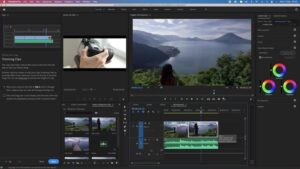
Software-specific channels, covering tools like Adobe Photoshop, Illustrator, InDesign, Figma, and Canva, are essential for building technical proficiency alongside your theoretical knowledge. The best software tutorial channels don’t just show you which buttons to click — they explain the underlying logic of the software’s tools and workflows, which helps you apply what you’ve learned flexibly to new projects rather than only being able to replicate the exact tutorial you watched.
When following software tutorials, prioritize channels that build complete projects from start to finish over channels that only demonstrate isolated features in short clips. Following along with a complete project (a full logo design process, a complete social media template system, a full poster layout) gives you much more practical, transferable experience than a disconnected collection of feature demonstrations.
Channels Focused on Branding and Identity Design
Branding-focused channels, which walk through complete brand identity projects from initial client brief through final delivery, are particularly valuable because they show the full scope of professional branding work, not just the visual output. These channels often include the strategic thinking, client communication considerations, and iterative revision process that purely visual tutorials skip entirely, giving you a much more realistic sense of what professional branding work actually involves.
This category is especially useful once you’ve built foundational design skills and are ready to understand how professional branding projects are actually structured and executed in real client contexts, rather than purely as personal creative exercises.
Channels Focused on UI/UX and Digital Design
If your design interests lean toward digital product design, app interfaces, or web design, UI/UX-focused channels cover specialized concepts that traditional graphic design education often doesn’t touch: user research and testing, wireframing and prototyping, interaction design principles, and accessibility considerations specific to digital interfaces.
These channels are particularly valuable if you’re considering a career path in UI/UX design specifically, since the skill set, while related to graphic design fundamentals, involves distinct considerations around usability, user behavior, and interactive elements that pure visual design education doesn’t cover.
Channels Focused on Freelance Business and Career Advice
Beyond pure design skill development, several channels focus specifically on the business and career side of design work: pricing strategies, client communication, portfolio building, and navigating freelance or in-house career decisions. This content fills a genuine gap, since formal design education (and most design-focused YouTube content) tends to focus almost entirely on craft skills while ignoring the business and career skills that are equally essential for actually building a sustainable design career.
These channels are particularly valuable once you’re approaching the transition from learning design to actually pursuing paid work, whether freelance or in-house, since they address practical questions (how to price a project, how to handle difficult client feedback, how to negotiate a salary) that pure skill-focused content doesn’t cover.
Channels Focused on Motion Graphics and Animation
For designers interested in expanding into motion graphics, animated logos, or video-based content, dedicated motion design channels teach tools like Adobe After Effects alongside the specific principles of animation timing, easing, and visual storytelling that differ meaningfully from static design work. This is an increasingly valuable specialization given the growing demand for animated content across social media and digital marketing.
How to Actually Learn From YouTube (Not Just Watch)
Simply watching design tutorials passively, without applying what you’ve learned, is one of the most common reasons people consume enormous amounts of design content without meaningfully improving their actual skills. To learn effectively, treat tutorials as active learning exercises rather than passive entertainment.
Follow along in real time rather than just watching, pausing the video to actually execute each step yourself in your own design software, rather than watching a full tutorial and assuming you’ve absorbed the technique without hands-on practice. After completing a tutorial, try applying the same technique or principle to an entirely different project of your own, without following step-by-step instructions, to confirm you’ve genuinely internalized the underlying skill rather than just memorized a specific sequence of clicks.
Take notes on core principles and reasoning, not just software steps, particularly for theory-focused content, since the underlying design logic is what transfers to new, different projects, while memorized software steps alone don’t generalize well beyond the exact tutorial you watched.
Curate a Balanced Learning Diet
Rather than binge-watching a single channel or content type indefinitely, build a balanced mix across categories: some theory and fundamentals content to build genuine design judgment, some software-specific tutorials to build technical proficiency, some real project walkthroughs (branding, UI/UX, or your specific area of interest) to understand professional workflows, and some business and career content once you’re approaching paid work.
This balance prevents common gaps, such as designers who are highly proficient with software but lack genuine design judgment, or designers with strong theoretical understanding who struggle with the practical execution needed to actually produce professional-quality files.
Use Playlists and Structured Series Over Random Videos
Many quality design channels organize their content into structured playlists or multi-part series that build progressively on earlier concepts, rather than a scattered collection of unrelated one-off videos. Prioritize these structured series over randomly selected individual videos, since they provide a more coherent, progressive learning path that mirrors how a real course would be structured, compared to jumping between disconnected videos from different creators with inconsistent teaching approaches and skill assumptions.
Combine YouTube With Active Practice and Feedback
YouTube education, however excellent, works best as one component of a broader learning approach rather than your sole method of skill development. Combine what you learn from tutorials and theory content with active practice on your own original projects, and seek feedback from design communities on that original work, since tutorials alone rarely expose the specific blind spots and weaknesses that outside feedback reveals.
Be Selective — Quality Varies Enormously
Not all design content on YouTube is created with the same rigor or accuracy. Some channels prioritize clickbait titles and superficial “hacks” over genuine, substantive teaching, and following low-quality content can actually reinforce bad habits or oversimplified thinking about design. When evaluating a new channel, look for creators with genuine professional design experience or credentials, content that explains reasoning rather than just demonstrating steps, and a consistent, structured approach to their content rather than purely trend-chasing, algorithm-driven video topics.
Reading comments and checking whether a channel engages thoughtfully with its audience’s questions can also be a useful signal of genuine teaching quality versus superficial content designed primarily to maximize views.
Final Thoughts
YouTube offers an extraordinary, entirely free depth of design education, covering everything from foundational theory to advanced software techniques to real-world business and career advice. The key to actually benefiting from this resource is treating it as active, structured learning rather than passive entertainment: follow along hands-on, apply what you learn to your own original projects, seek outside feedback on that work, and curate a genuinely balanced mix of content types rather than over-indexing on any single category. Used deliberately, YouTube can meaningfully accelerate a design education that would otherwise cost significant money through formal courses, making it one of the most valuable resources available to any designer serious about improving their craft.