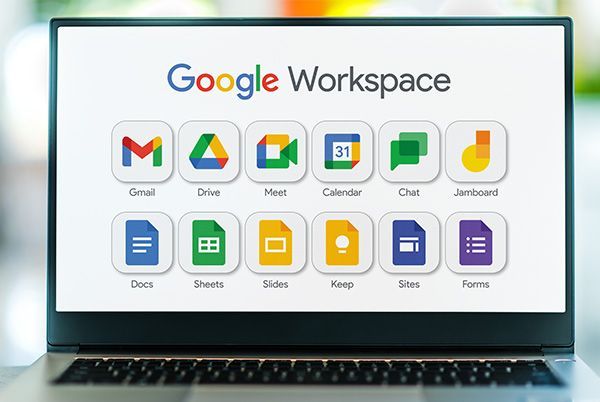
Google Workspace has become the default choice for business email, docs, and collaboration for millions of teams — and for a long time, its pricing felt like a minor line item. That’s changed. Google raised Workspace prices in early 2025 by roughly 17–22%, with Starter and Standard tiers rising a couple of dollars per user per month and the Plus tier rising even more. For a growing team, that increase compounds quickly, and it’s pushed a lot of founders and operators to actually run the numbers on what else is out there.
The honest starting point is that Microsoft also raised its prices in 2026, so switching purely to save money isn’t automatically the win it once was — the gap between the two giants has narrowed. But several other platforms have used this moment to position themselves as genuinely cheaper, and in some cases more privacy-conscious, alternatives. Here’s how they stack up.
1. Zoho Workplace — Best Budget Option
Zoho Workplace is consistently ranked the most budget-friendly comprehensive alternative to Google Workspace, with plans starting as low as $1–$3 a user per month and topping out around $9 a user per month for the Professional tier — a fraction of Google Workspace’s pricing at every comparable level. It includes a genuinely complete suite: Zoho Mail for email, Writer for documents, Sheet for spreadsheets, Show for presentations, WorkDrive for cloud storage, Cliq for team chat, and Meeting for video calls. There’s even a forever-free plan covering up to five users, which is a real option for very small teams or solo operators.
The savings at scale are substantial — one comparison found a 100-person team moving from Google Workspace Business Standard to Zoho Workplace Standard would save around $10,800 a year. The honest tradeoff is polish: Zoho’s apps work well but don’t feel quite as refined as Google’s, and migrating contacts, calendar, drive, and email away from Google takes real effort. For price-sensitive, growth-stage teams (roughly 10–200 people) willing to accept a slightly less polished experience, though, the cost savings are hard to ignore.
Best for: Budget-conscious small and mid-size teams, especially those already using other Zoho apps.
2. Microsoft 365 — Best for Teams That Need Desktop Office Apps
Microsoft 365 remains the strongest alternative for teams that specifically need the desktop versions of Word, Excel, and PowerPoint, rather than browser-based equivalents. Business Basic starts around $6 a user per month, with Business Standard in the $12.50–$14 range (Microsoft raised this tier again in July 2026, from $12.50 to $14). For teams in finance, legal, or operations that rely on advanced spreadsheet formulas, complex document formatting, or robust offline access, Microsoft’s desktop apps are still generally considered more capable than Google Docs and Sheets’ browser-based equivalents.
It’s worth being clear-eyed that switching from Google Workspace to Microsoft 365 doesn’t solve every complaint people have about Google — both platforms share similar approaches to data handling and neither is a privacy-first alternative. If your reason for leaving is genuinely about cost or features rather than data practices, Microsoft is a legitimate option; if it’s about wanting to move away from large-platform data collection generally, it isn’t actually a different category of tool.
Best for: Teams that need powerful offline desktop Office apps.
3. Lark — Best All-in-One Free Tier
Lark, developed by ByteDance, bundles messaging, documents, cloud storage, calendar, and video conferencing into a single unified application, aiming to eliminate the context-switching that comes from juggling several separate productivity tools. It offers a genuinely generous free tier, which makes it an appealing starting point for startups that want a full collaboration suite before committing budget to a paid plan.
Its standout feature is Lark Base, a no-code database tool that lets teams build custom workflows and automate business processes — functionality that goes meaningfully beyond what Google Workspace or Microsoft 365 offer natively without a third-party add-on. The tradeoff is brand unfamiliarity: fewer teams and IT departments have experience with Lark, and its integration ecosystem with other business tools is less mature than Google’s or Microsoft’s. For a startup building its stack from scratch and prioritizing a truly unified, low-cost workspace, though, it’s a compelling and underrated option.
Best for: Startups that want messaging, docs, and workflow automation in one free app.
4. Proton — Best for Privacy-First Organizations
Proton has built its entire reputation around end-to-end encryption and a genuine no-logging, privacy-first architecture — a meaningful distinction from Google Workspace, whose broader business model has historically included data collection for advertising purposes elsewhere in its ecosystem. Proton’s suite covers encrypted email, calendar, and cloud storage (Proton Drive), all built with zero-knowledge encryption, meaning not even Proton itself can access your files or messages.
That level of privacy comes with real functional tradeoffs: collaborative real-time document editing and third-party integrations are considerably less mature than Google’s or Microsoft’s offerings. Proton is a strong fit for organizations — legal practices, journalists, healthcare providers, activists — where confidentiality is a genuine operational requirement rather than a nice-to-have. For a typical small business whose main need is smooth day-to-day collaboration, the tradeoff in convenience may not be worth it.
Best for: Organizations where end-to-end encryption and data privacy are non-negotiable.
5. Nextcloud — Best Self-Hosted, Fully Controlled Option
Nextcloud is an open-source, self-hosted alternative that gives an organization complete control over where its data physically lives — on your own servers or a private cloud instance, rather than a third-party’s infrastructure. It covers file storage and sharing, calendar, contacts, and document collaboration through integrated office suite plugins, and because it’s self-hosted, there’s no per-user subscription fee beyond your own hosting costs.
The obvious requirement is technical capability: someone on your team (or a contracted provider) needs to set up, secure, and maintain the server infrastructure, which is a meaningfully bigger commitment than signing up for a hosted SaaS product. For organizations with IT support and a genuine long-term interest in data sovereignty — government contractors, healthcare providers, or larger enterprises with compliance requirements — Nextcloud offers a level of control no hosted alternative can match.
Best for: Technically capable organizations that want complete control over their data infrastructure.
6. OnlyOffice — Best for Microsoft Office File Compatibility
OnlyOffice is an open-source productivity suite specifically built to maximize compatibility with Microsoft Office file formats — documents, spreadsheets, and presentations open and render with fewer formatting quirks than Google’s own Docs, Sheets, and Slides sometimes introduce when handling native .docx or .xlsx files. It’s available both as a self-hosted option and as a hosted cloud service, giving teams flexibility in how much infrastructure responsibility they want to take on.
It’s a strong pick specifically for organizations that exchange a lot of documents with clients, partners, or vendors still using Microsoft Office natively, since fewer formatting surprises means less time spent fixing broken layouts after a file round-trip. Its real-time collaboration features and third-party app ecosystem are less mature than Google’s, though, so teams doing heavy simultaneous multi-user editing may find Google’s collaborative editing still smoother.
Best for: Teams that frequently exchange Microsoft Office files with external partners.
7. Dropbox Business — Best for Heavy Media and File-Sharing Workflows
Dropbox Business isn’t a full productivity suite the way Zoho Workplace or Microsoft 365 is, but for teams whose core pain point with Google Workspace is specifically file storage and sharing — especially for media-heavy workflows like video, design assets, or large datasets — Dropbox’s file-syncing and sharing infrastructure is widely regarded as more reliable and performant than Google Drive at scale. Plans start around $15 a user per month.
It’s best understood as a complement rather than a full replacement: most teams pair Dropbox with a separate email and document-editing tool rather than using it as their entire workspace. For a creative agency, video production team, or design studio whose real bottleneck is moving large files around reliably, though, that specialization is worth paying for on its own.
Best for: Teams with heavy media files and file-sharing needs, paired with another tool for email and docs.
A Note Before You Switch: Check Reseller Pricing First
Before committing to a full migration away from Google Workspace, it’s worth knowing that authorized Google Workspace resellers often offer the exact same plans at a meaningfully lower price than signing up directly — sometimes in the $2.50–$3 a user per month range for tiers that cost more when purchased directly from Google. If cost is your only reason for considering a switch, checking reseller pricing first can solve the problem without the productivity dip that comes with migrating contacts, calendar, drive, and email to an entirely new platform — a transition that typically costs a team two to four weeks of reduced efficiency, a cost rarely factored into pricing comparisons.
How to Choose the Right Google Workspace Alternative
If cost is the primary driver and your team doesn’t need Google’s specific polish, Zoho Workplace offers the deepest genuine savings while still covering the full range of email, docs, and collaboration tools. If your team leans on advanced desktop Office functionality — complex spreadsheet modeling, heavy document formatting — Microsoft 365 remains the stronger technical fit despite its recent price increase. If data privacy and encryption are a genuine operational requirement rather than a preference, Proton or a self-hosted Nextcloud instance are the only options on this list that meaningfully change your privacy posture rather than just changing your vendor.
For most small and mid-size teams, though, the most important step before switching anything is running the actual numbers: check reseller pricing, calculate the real migration cost in lost productivity, and weigh that honestly against the ongoing savings. Sometimes the answer is a genuine, worthwhile switch to Zoho or Lark. Sometimes it’s staying put on Google Workspace but buying it through a reseller instead. Either way, the decision is worth making with real numbers rather than sticker shock alone.