Video editing has traditionally been one of the more time-intensive parts of content creation, requiring both technical skill and a substantial time investment for even relatively short pieces of content. Over the past few years, a wave of AI-powered editing tools has emerged specifically to automate the more repetitive, mechanical parts of that process — cutting silences, generating rough assemblies, matching cuts to music beats, and even suggesting entire edits based on raw footage — freeing up creators to focus more of their time on the creative decisions that actually benefit from a human touch.
These tools aren’t yet a replacement for skilled human editing on projects that require genuine creative nuance, but for the right use cases, they can save enormous amounts of time. Here’s a look at the best AI-assisted editing tools available today and what each one is genuinely good at.
What AI Video Editing Actually Does Well (and Doesn’t)
Before diving into specific tools, it’s worth setting realistic expectations. Current AI editing tools excel at pattern-based, repetitive tasks: identifying and removing silence or filler words, generating captions, matching cuts to a musical beat, and producing a reasonable rough assembly from raw footage based on a script or set of instructions. What they generally still struggle with is genuine creative judgment — knowing which take of a joke lands better, understanding subtle emotional pacing, or making the kind of intuitive storytelling decisions that experienced human editors bring to a project.
The most effective way to use these tools today is as a first-pass assistant that handles the mechanical, time-consuming groundwork, leaving you to focus your own editing time on refining pacing, emphasis, and the creative choices that genuinely benefit from human judgment.
Descript
Descript remains one of the most genuinely useful AI editing tools available, built around the idea that editing video should work like editing a text document. It automatically transcribes your footage, and then editing that transcript — deleting a sentence, rearranging paragraphs — automatically makes the corresponding cut in your video. Its “Studio Sound” feature uses AI to clean up audio quality, removing background noise and improving clarity in a way that would otherwise require dedicated audio software and real technical skill.
Descript’s filler word and silence removal tools are particularly beloved by talking-head content creators and podcasters, since manually finding and trimming every “um,” “uh,” and awkward pause across a long recording is exactly the kind of tedious task AI genuinely excels at automating.
CapCut’s AI Features
CapCut has steadily expanded its suite of AI-powered tools well beyond its original template and effects library. Its automatic captioning remains one of the most accurate and fastest available in any consumer editing tool. Beyond captions, CapCut has added AI background removal for creating green-screen-style effects without an actual green screen, AI-powered text-to-speech for generating voiceovers, and auto-editing features that can assemble footage to match the rhythm of a chosen piece of music automatically.
These features are particularly valuable for short-form content creators who need to produce a high volume of videos quickly, since CapCut’s AI tools are specifically tuned for the fast-paced, trend-driven style common on TikTok and Instagram Reels.
Adobe Premiere Pro’s AI Tools (Powered by Adobe Sense/Firefly)
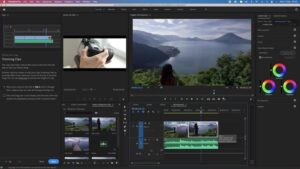
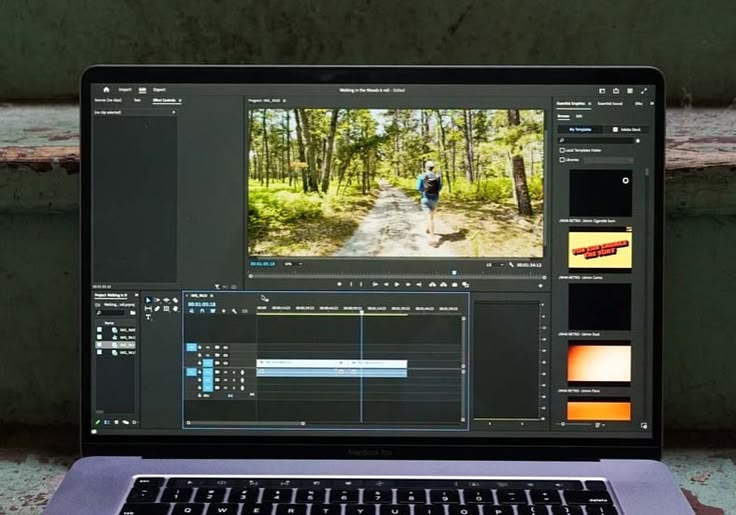
Adobe has been steadily integrating AI capabilities directly into Premiere Pro, including automatic scene-edit detection that identifies cut points in footage you didn’t originally edit yourself, AI-powered color matching that automatically balances color across multiple clips shot in different lighting conditions, and text-based editing tools similar in concept to Descript, letting you edit video by editing an automatically generated transcript.
Because these AI tools are built directly into Premiere Pro rather than a separate standalone app, they integrate smoothly with the broader professional editing workflow many creators and studios already use, without requiring you to jump between multiple separate programs to take advantage of AI-assisted features.
Runway
Runway has positioned itself at the more experimental, cutting-edge end of AI video tools, offering capabilities like AI-powered green screen removal without an actual green screen background, motion tracking, and increasingly, generative AI video tools that can create or modify footage based on text prompts. While some of Runway’s more generative features are still evolving rapidly and best suited to creative experimentation rather than reliable production workflows, its more established tools around background removal and object tracking are genuinely useful time-savers for creators who’d otherwise need dedicated visual effects software for similar results.
Pictory and Synthesia for Automated Video Generation
Pictory and Synthesia represent a different category entirely: rather than assisting a human editor, these tools can generate complete videos with minimal human editing input, primarily aimed at business, marketing, and educational content rather than creative storytelling. Pictory can turn a blog post or script into a video automatically, selecting relevant stock footage and adding captions and voiceover with minimal manual work. Synthesia specializes in AI avatar-based videos, letting users generate a video of a realistic AI presenter reading a script, without needing to film any actual footage.
These tools are particularly popular for corporate training content, product explainer videos, and localized marketing content that needs to be produced quickly and at scale, though they’re generally not well suited to content requiring genuine personality, authentic presence, or creative storytelling nuance.
Opus Clip and Vidyo.ai for Repurposing Long-Form Content
A specific and increasingly popular use case for AI editing is automatically identifying and clipping the most engaging short segments out of longer-form content, like a podcast episode or a long YouTube video, to repurpose as short-form social content. Tools like Opus Clip and Vidyo.ai use AI to analyze long footage, identify likely “highlight” moments based on speech patterns, pacing, and engagement signals, and automatically generate several short-form clips complete with captions and reframed vertical aspect ratios ready for TikTok, Reels, or Shorts.
For creators or teams producing long-form content and wanting to maximize its reach across short-form platforms without manually re-editing every clip by hand, these repurposing tools can save enormous amounts of time, even though the AI’s selection of “best” moments still benefits from a human quality check before publishing.
How to Integrate AI Tools Into Your Existing Workflow
Rather than treating AI editing tools as an all-or-nothing replacement for your existing process, the most effective approach is usually to identify the specific repetitive tasks in your current workflow that are eating the most time, and introduce an AI tool specifically targeted at that bottleneck. If filler word removal and silence trimming take up a large chunk of your editing time, Descript or a similar transcript-based tool addresses that directly. If captioning is your bottleneck, CapCut or a dedicated captioning tool solves that specific problem without requiring you to change anything else about your broader editing process.
Quality Control Still Matters
Even the best current AI editing tools require human review before publishing. Automatic captions still make transcription errors, especially with technical terminology, accents, or unusual proper nouns. AI-suggested rough cuts still benefit from a human pass to refine pacing and ensure the emotional and narrative flow actually works, since AI pattern-matching doesn’t yet reliably capture the subtler aspects of good storytelling. Treating AI tools as a genuinely useful first draft generator rather than a finished product is the most realistic and effective way to use them today.
The Trajectory of AI in Video Editing
The pace of improvement in this space has been rapid, and it’s reasonable to expect AI editing tools to continue taking on increasingly sophisticated tasks over time — better creative suggestion capabilities, more nuanced pacing decisions, and improved generative capabilities for filling gaps in footage. Staying reasonably current with new tool releases, without feeling obligated to adopt every new feature immediately, is a sensible approach given how quickly this specific category of software continues to evolve.
Final Thoughts
AI-powered editing tools have genuinely transformed how much time creators need to spend on the most repetitive, mechanical parts of post-production, from removing filler words to generating captions to assembling rough cuts from raw footage. Tools like Descript, CapCut, and Adobe’s built-in AI features each excel at different specific tasks, and the most effective creators tend to adopt these tools surgically — targeting their specific workflow bottlenecks — rather than trying to fully automate their entire creative process. Used this way, AI editing tools free up more of your time and energy for the parts of editing that genuinely benefit from human creative judgment.