Ad creative used to be a bottleneck. A single campaign might need a dozen variations across formats — square for Instagram feed, vertical for Stories, landscape for YouTube pre-roll, a handful of static banners for display networks — and producing all of that traditionally meant weeks of back-and-forth between copywriters, designers, and account managers. AI has compressed that timeline dramatically, not by replacing creative strategy, but by automating the repetitive production work that used to eat up most of the calendar.
This guide walks through the AI tools that marketers are actually using to generate ad creatives today, what each one does well, and how to think about building a workflow rather than relying on a single tool to do everything.
Why Ad Creative Is a Perfect Fit for AI
Ad creative has a few characteristics that make it especially well-suited to AI assistance. It’s produced in high volume — a single campaign might need dozens of variants for testing. It’s format-constrained — dimensions, aspect ratios, and platform specs are rigid and predictable. And it’s iterative by nature — the whole point of running multiple ad variations is to test small differences and see what performs. AI tools are good at exactly this kind of structured, repetitive, variation-heavy work, which is why ad creative has become one of the most mature use cases for generative AI in marketing.
That said, “AI tool for ad creatives” actually covers several distinct jobs: generating the visual (image or video), generating the copy (headline, body text, CTA), resizing and adapting a single creative across formats, and increasingly, predicting or testing how well a creative will perform before it even goes live. The best-fit tool depends on which of these jobs you’re trying to solve.
Canva Magic Studio: The All-in-One Starting Point
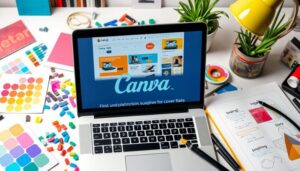
Canva has quietly become one of the most widely used ad creative tools for small and mid-sized marketing teams, largely because of its Magic Studio suite. Magic Design can generate multiple layout variations from a single prompt or asset, Magic Resize instantly adapts one ad into dozens of platform-specific dimensions, and Magic Write handles on-brand ad copy directly inside the design canvas.
The appeal here isn’t cutting-edge image generation — it’s the fact that copy, design, and resizing all live in one workflow. A marketer without design training can go from a rough idea to a full set of platform-ready ad creatives in one sitting, without switching between five different tools. For teams without a dedicated designer, this is often the highest-leverage starting point.
AdCreative.ai: Built Specifically for Performance Ads
Unlike general-purpose design tools, AdCreative.ai was built from the ground up for one job: generating ad creatives optimized for conversion. You input your brand assets, product information, and target platform, and it generates multiple creative variations along with a “conversion score” prediction for each one, based on patterns learned from large volumes of ad performance data.
This tool is particularly popular with performance marketers and agencies running paid social and search campaigns at scale, where the goal isn’t artistic originality but statistically better click-through and conversion rates. It integrates with ad platforms to help streamline the process of pushing creatives live and tracking which variations actually perform, closing the loop between generation and results.
Midjourney and DALL·E: For Distinctive Visual Concepts
When an ad campaign needs a visual that doesn’t look like stock photography or a template — a surreal product hero shot, an imaginative brand world, a striking illustration-style ad — general-purpose image generators like Midjourney and OpenAI’s DALL·E (accessible through ChatGPT) come into play.
Midjourney tends to produce more artistically distinctive, often more “premium-feeling” imagery, which makes it popular for brand and lifestyle-driven ad campaigns where visual impact matters more than literal product accuracy. DALL·E, integrated into ChatGPT, is often easier for non-designers to prompt conversationally and iterate on quickly, and it’s improved significantly at rendering readable text and specific product-like details.
The tradeoff with both tools is that they generate raw imagery, not finished ads — you’ll still need to bring that visual into a design tool to add copy, branding, and platform-specific formatting. They’re best thought of as the visual ideation layer of an ad creative workflow, not the finishing step.
Meta Advantage+ Creative and Google’s AI-Powered Ad Tools
It’s worth noting that the ad platforms themselves have built generative AI directly into their ad managers. Meta’s Advantage+ creative tools can automatically generate text variations, crop images for different placements, and even generate entirely new backgrounds or image elements from an existing product photo. Google’s Performance Max and its associated AI-generated asset tools do something similar, creating multiple headline and image combinations that the algorithm then tests automatically.
These native platform tools have one significant advantage over third-party generators: they’re directly plugged into each platform’s performance data, so their “smart” variations are informed by real signals about what tends to work on that specific platform. The tradeoff is less creative control and less ability to maintain a tightly consistent brand look across variations, since the platform is optimizing primarily for performance rather than aesthetic consistency.
Creatify and Similar Tools for Video Ad Creatives
Video ads, especially for social platforms, have their own dedicated category of AI tools. Creatify and comparable platforms can take a product URL or a set of product images and automatically generate short video ads complete with voiceover, captions, and background music, often producing multiple variations with different hooks or angles in minutes.
These tools have become particularly popular with ecommerce brands running high volumes of paid social video ads, where testing many different hooks and creative angles quickly is more valuable than any single “hero” video production. They won’t replace a professionally produced brand video, but for rapid testing and iteration, they dramatically cut down the time between having a product and having a testable video ad.
Copy-Focused Tools for Ad Text
Visuals get most of the attention, but ad copy — headlines, primary text, descriptions — is just as important to test and iterate on. Tools like Copy.ai and Jasper (covered in more depth elsewhere) are commonly used to rapidly generate dozens of headline and body copy variations for A/B testing across ad platforms. The workflow that works well for most teams: generate a wide net of copy variations with an AI writing tool, have a human editor trim it down to the strongest 5–10 options, and then let the ad platform’s own testing tools determine which actually perform best with real audiences.
Building a Realistic Ad Creative Workflow
No single tool covers the entire ad creative process end to end, so it helps to think in terms of a workflow rather than a single subscription. A common and effective setup looks something like this: use an image generator like Midjourney or DALL·E (or your own product photography) for the core visual concept; bring that into Canva or a similar design tool to add branding, layout, and copy, and to resize across all needed formats; use an AI writing tool to generate a wide range of headline and body copy variations; and, where budget allows, run everything through a performance-focused tool like AdCreative.ai to get predictive scoring before launch.
For video-heavy campaigns, swap in a tool like Creatify for the initial video generation step, and use standard video editing tools (covered in more detail in the short-form video editing guide) to polish and adapt the output.
What AI Still Can’t Do for Ad Creative
It’s worth being honest about the limits. AI tools are excellent at producing variations, resizing, and generating serviceable first-draft visuals and copy quickly. They are much less reliable at deep creative strategy — understanding what will genuinely resonate with a specific audience’s cultural context, humor, or emotional triggers — and at avoiding subtly generic or “AI-flavored” visuals that blend into a sea of similar-looking ads.
The teams getting the most value from these tools tend to use AI for speed and volume in the production phase, while keeping strategic creative direction, brand judgment, and final quality control firmly in human hands. AI can generate fifty ad variations in the time it used to take to brief one; it still takes a person with taste and strategic understanding to know which of those fifty are actually worth running.
How to Evaluate New Tools as the Space Evolves
This category moves quickly, with new entrants and feature updates appearing regularly. When evaluating any new AI ad creative tool, it’s worth asking a few consistent questions: Does it integrate with the ad platforms you actually use, or does it just produce static files you have to upload manually? Does it give you enough creative control to stay on-brand, or does it push everything toward a generic look? And critically, does it help you test and measure performance, or just generate more content without closing the loop on what’s actually working?
Ad creative tools that answer “yes” to integration and measurement tend to deliver more sustained value than those that are purely about generation volume, because ultimately the goal isn’t more creatives — it’s more creatives that convert.
Getting Started
If you’re just beginning to build AI into your ad creative process, start small and specific: pick one active campaign, use Canva Magic Studio or a similar all-in-one tool to generate and resize a batch of variations, pair it with an AI copywriting tool for headline testing, and measure the results against your current baseline. Expand into more specialized tools like AdCreative.ai or dedicated video generators once you’ve confirmed the workflow saves real time without sacrificing performance. The goal isn’t to adopt every tool on this list — it’s to build a lean, repeatable process that lets your team test more creative ideas, faster, without burning out your designers and copywriters on repetitive production work.
Frequently Asked Questions
How many creative variations should I actually test per campaign? There’s no universal number, but most performance marketers find that testing somewhere between three and six meaningfully different creative concepts (not just minor color or headline tweaks) gives a clearer read than testing dozens of near-identical variations, which tends to dilute your data without adding much insight.
Do AI-generated ad creatives perform as well as professionally shot photography? It depends heavily on the product and audience. For many ecommerce and app-based products, AI-assisted or AI-generated creatives now perform competitively with traditional photography in testing, especially for rapid iteration. For premium or luxury brands where production value itself signals quality, professional photography and video still tend to outperform.
Is it safe to use AI-generated ad creatives for regulated industries like finance or healthcare? Extra caution is warranted here. Regulated industries often have specific disclosure and accuracy requirements that generic AI tools aren’t built to enforce, so any AI-generated ad creative in these categories should go through compliance review before launch, regardless of how polished it looks.