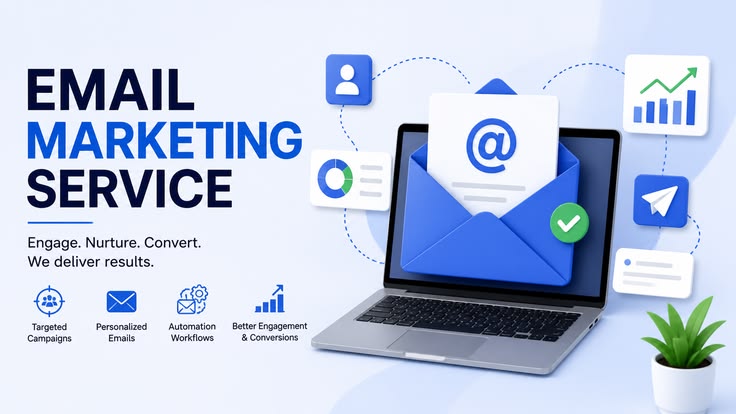
Most small businesses start email marketing the same way: an occasional newsletter, sent manually, whenever there’s news to share. It works, in a limited sense, but it puts a hard ceiling on how much value email can generate, because every single message requires active human effort. Automation removes that ceiling. Once built, a workflow runs continuously — nurturing leads, recovering sales, and re-engaging customers — without anyone needing to remember to send anything.
The challenge for a small business isn’t usually understanding that automation matters. It’s knowing which workflows actually deserve the limited time available to build them. This guide covers the automations that consistently deliver the highest return for small businesses specifically, in the order most teams should tackle them.
Why Small Businesses Should Prioritize Automation Differently Than Large Companies
A large marketing team can afford to build dozens of automations, testing and refining each one with dedicated staff. A small business typically has one person — often the owner — squeezing email marketing in between everything else running the business. That reality should shape priorities. Rather than trying to build a comprehensive automation library immediately, small businesses get the most value focusing on a small handful of workflows that touch the moments with the highest impact on revenue and retention, then expanding gradually as time allows.
Workflow One: The Welcome Series
If you build only one automation, this is it. A welcome series triggers the moment someone joins your list and uses the first several days to introduce your business, build trust, and set expectations for what subscribers will receive going forward.
For a small business, an effective welcome series typically runs three to five emails: an immediate email delivering whatever was promised (a discount, a guide, a resource), a follow-up introducing your story and what makes your business different, a third highlighting your most popular product or best content, and a final email with a clear, low-pressure invitation to take the next step — whether that’s browsing your shop, booking a call, or simply replying with questions.
This sequence works because it happens automatically during the exact window when a new contact is most attentive. Every new subscriber gets your best introduction, consistently, without you writing it fresh each time.
Workflow Two: Abandoned Cart Recovery
For any small business selling products online, this is typically the single highest-revenue automation available. A significant majority of online shopping carts are abandoned before checkout, and a well-timed reminder recovers a meaningful share of that otherwise-lost revenue.
A basic, effective version sends one reminder email an hour or so after abandonment showing exactly what was left behind, followed by a second email roughly a day later, often including a modest incentive like a discount or free shipping for shoppers who still haven’t returned. Most modern email platforms (Omnisend, Klaviyo, MailerLite, and others with ecommerce integrations) offer pre-built templates for this exact workflow, meaning setup often takes less than an hour.
Workflow Three: Post-Purchase Follow-Up
Once someone buys, the relationship shouldn’t go quiet until the next promotional blast. A post-purchase sequence typically includes an order confirmation, a shipping or delivery update, and — a few days after the product likely arrived — a follow-up asking for a review or offering related products.
This workflow does double duty: it improves the customer’s experience by keeping them informed, and it quietly builds the social proof and repeat-purchase behavior that compounds over time. For small businesses especially, genuine reviews from real customers are disproportionately valuable, since they carry more weight for new visitors than any amount of self-promotion.
Workflow Four: Re-Engagement for Inactive Subscribers
Every list accumulates subscribers who stop opening emails over time. Left unaddressed, these inactive contacts quietly drag down your engagement metrics, which can affect deliverability for your entire list — inbox providers pay attention to how many recipients actually engage with your mail.
A re-engagement workflow triggers when a subscriber hasn’t opened or clicked anything in a defined window, commonly 60 to 90 days, and sends one or two “we miss you” style emails, sometimes with an incentive to return. Anyone who still doesn’t engage after this sequence can then be removed from active sending, protecting your sender reputation and keeping your list genuinely representative of people who want to hear from you.
Workflow Five: Lead Nurture for Longer Sales Cycles
If your small business sells something with a longer consideration period — a service, a higher-priced product, a B2B offering — a single welcome series often isn’t enough to move a lead all the way to a purchase decision. A lead nurture workflow extends the relationship over weeks, delivering a mix of educational content, case studies or testimonials, and periodic, low-pressure offers, gradually building the trust needed for a bigger decision.
This workflow benefits significantly from segmentation — tagging leads based on what they’ve shown interest in, and tailoring the nurture content accordingly, rather than sending an identical generic sequence to everyone regardless of their specific situation.
Workflow Six: Birthday or Anniversary Emails
A smaller-scale but genuinely effective workflow, especially for businesses with a retail or hospitality component. Triggered automatically based on a birthdate or signup anniversary collected at some point, this workflow sends a personal-feeling email, often paired with a small discount or gift. The emotional resonance of being remembered on a birthday tends to produce disproportionately strong engagement relative to the minimal effort required to set it up once.
How to Prioritize If You’re Starting From Zero
Given limited time, most small businesses see the best return building automations in roughly this order: welcome series first, since it touches every single new contact; abandoned cart recovery second, if selling products online, since its revenue impact is usually immediate and easy to measure; post-purchase follow-up third, since it strengthens retention and generates reviews; and re-engagement and lead nurture workflows after that, once the foundational sequences are proven and running smoothly.
Keeping Automation Manageable Long-Term
The biggest risk for a small business isn’t building too few automations — it’s building a scattered collection of workflows nobody fully remembers, understands, or maintains. A simple naming convention (clearly labeling each workflow by its purpose and trigger), periodic review of performance data, and a habit of pausing or archiving workflows that no longer serve a clear purpose keeps your automation setup genuinely useful rather than becoming digital clutter.
Automation isn’t about replacing the personal touch that makes a small business distinctive — it’s about making sure that touch reaches every single contact consistently, at exactly the right moment, without requiring constant manual effort from an owner who’s already stretched across everything else the business needs.