Every dollar your business spends needs to be tracked — not just for your own understanding of profitability, but for accurate tax deductions, clean financial reporting, and staying prepared in case of an audit. And yet expense tracking is one of the most commonly neglected parts of running a small business, largely because manual tracking (shoeboxes of receipts, spreadsheets updated sporadically) is tedious and easy to fall behind on.
The good news is that modern expense tracking tools have made this process dramatically easier, automating much of the data entry and categorization that used to eat up hours every month. This guide covers what to look for in an expense tracking tool, the best options on the market, and how to build a system you’ll actually stick with.
Why Expense Tracking Matters More Than People Think
Beyond the obvious tax benefits, consistent expense tracking gives you an accurate, real-time picture of your business’s financial health. Without it, you’re essentially guessing at your profitability, which makes it hard to make informed decisions about pricing, hiring, or investing in growth. Poor expense tracking is also one of the most common reasons small businesses underpay or overpay on taxes — underpay because they miss legitimate deductions, or overpay because they can’t substantiate deductions they’re entitled to when audited.
There’s also a cash flow angle. If you’re not tracking expenses in real time, it’s easy to lose track of recurring subscriptions and small purchases that quietly add up, sometimes amounting to hundreds of dollars a month in software or services you’ve forgotten you’re even paying for.
What to Look for in an Expense Tracking Tool
Receipt capture via mobile app. The best tools let you snap a photo of a receipt the moment you make a purchase, using optical character recognition (OCR) to automatically extract the vendor, date, and amount, eliminating the need to manually type in details later.
Bank and credit card syncing. Direct integration with your business bank accounts and credit cards means transactions get imported automatically, rather than requiring you to manually log every purchase.
Automatic categorization. Good tools learn your spending patterns over time and automatically assign categories to recurring vendors, reducing the amount of manual sorting you need to do.
Mileage tracking. If your business involves any driving — client visits, deliveries, site inspections — a tool with built-in GPS-based mileage tracking can capture a commonly overlooked deduction with minimal effort.
Expense reports and reimbursement workflows. If you have employees or contractors who incur expenses on your behalf, look for tools that support submitting, approving, and reimbursing expense reports directly within the platform.
Tax category mapping. Especially useful for freelancers and sole proprietors, this feature sorts expenses into categories that map directly to tax forms, making year-end filing significantly less painful.
Integration with accounting software. Ideally, your expense tracker either lives within your accounting software or syncs cleanly with it, so you’re not manually reconciling two separate systems.
Best Expense Tracking Tools
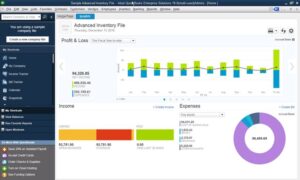
QuickBooks Online includes expense tracking as a core feature, with automatic bank feed categorization, receipt capture through its mobile app, and mileage tracking. Because it’s part of a full accounting suite, expenses flow directly into your broader financial reports without any extra syncing effort.
Expensify is one of the most popular dedicated expense tracking apps, known for its fast receipt scanning technology and strong support for expense reports and employee reimbursements. It’s a particularly strong choice for businesses with a team that regularly submits expenses, thanks to its approval workflows and corporate card integration.
Wave offers free expense tracking as part of its broader free accounting suite, connecting to your bank accounts and categorizing transactions automatically. It’s a solid, no-cost option for freelancers and very small businesses that don’t need advanced reporting or team expense workflows.
Ramp combines a corporate card program with built-in expense tracking and automated receipt matching, and it’s increasingly popular among growing small businesses because the platform is free to use if you’re using their card, with strong automation that flags missing receipts and unusual spending patterns automatically.
Brex offers a similar model to Ramp — corporate cards paired with expense management software — with strong automation and real-time spend visibility, often favored by startups and venture-backed small businesses.
Zoho Expense integrates tightly with the broader Zoho ecosystem and offers solid receipt scanning, mileage tracking, and multi-currency expense support, making it a good fit for businesses already using other Zoho products.
Everlance focuses specifically on mileage and expense tracking for self-employed individuals and gig workers, with automatic GPS-based mileage detection that’s particularly valuable for rideshare drivers, delivery workers, and traveling salespeople.
Shoeboxed takes a slightly different approach, offering a mail-in receipt scanning service where you physically mail your paper receipts and they’re digitized and categorized for you — a good option for business owners who are especially disorganized with physical receipts and want a more hands-off solution.
Dedicated Tools vs. Built-In Accounting Software Features
One of the bigger decisions to make is whether to use the expense tracking features built into your accounting software (like QuickBooks or Xero) or a dedicated, standalone expense tracking app (like Expensify or Ramp).
Built-in accounting software expense tracking works well for solo business owners and small teams with relatively simple expense patterns, since it avoids the complexity of syncing two separate systems. Dedicated expense tools tend to offer deeper functionality specifically around expense workflows — more sophisticated receipt matching, more flexible approval chains, and better support for teams with multiple people submitting expenses. If you have employees or contractors regularly incurring reimbursable expenses, a dedicated tool with strong approval workflows is usually worth the extra complexity of managing a second system.
Setting Up a System You’ll Actually Use
The biggest failure point in expense tracking isn’t choosing the wrong tool — it’s inconsistent use. Here’s how to build a system that actually sticks.
Connect your accounts immediately. As soon as you set up any expense tracking tool, connect your business bank account and credit cards right away. This single step automates the majority of your tracking, since most of your expenses will flow in automatically rather than requiring manual entry.
Capture receipts in the moment. Build a habit of photographing receipts immediately after a purchase, rather than saving them in a pile to deal with later. Most tools make this a five-second action through their mobile app, and the habit compounds — the longer you wait, the more likely a receipt gets lost or forgotten.
Review categorization weekly, not just at tax time. Even with automatic categorization, occasional mistakes happen — a transaction gets miscategorized, or a new vendor isn’t recognized yet. A quick weekly review (five to ten minutes) keeps your books accurate and prevents a large, overwhelming cleanup task at year end.
Separate business and personal spending completely. This might be the single most important habit for clean expense tracking. Use a dedicated business bank account and credit card for all business purchases, even small ones. Mixing personal and business spending in the same account makes categorization dramatically harder and increases the risk of missing legitimate deductions or, worse, of blurring the legal separation between you and your business if you’re operating as an LLC or corporation.
Common Expense Categories Small Businesses Often Miss
Even business owners who track expenses diligently sometimes miss legitimate deductible categories. Home office expenses (a portion of rent, utilities, and internet if you work from home) are commonly underclaimed. Software and subscription costs — especially smaller ones like domain renewals, cloud storage, or niche industry tools — often go untracked because they’re small and easy to overlook individually, even though they add up significantly over a year. Professional development costs, including courses, books, and conference attendance related to your field, are also frequently missed. Bank fees and payment processing fees, while individually small, are fully deductible and worth tracking rather than ignoring as a “cost of doing business” that doesn’t need to be recorded.
How Expense Tracking Ties Into Tax Preparation
Good expense tracking throughout the year turns tax season from a scramble into a formality. If your tool properly categorizes expenses into tax-relevant buckets throughout the year, generating a report for your tax preparer (or for tax software if you’re filing yourself) becomes a matter of a few clicks rather than weeks of receipt archaeology. This is one of the strongest arguments for investing time in a proper system early — the payoff isn’t just accuracy, it’s the hours of stress and effort saved every single tax season going forward.
How to Handle Mixed-Use Expenses
Some expenses are partially business and partially personal — a cell phone plan used for both client calls and personal use, for instance, or a home internet bill that supports both your home office and your family’s streaming habits. Most expense tracking tools let you split a transaction by percentage, allocating, say, 60% to business and 40% to personal. It’s worth establishing a reasonable, defensible percentage for these mixed-use expenses and applying it consistently, rather than guessing differently each time, since consistency matters if these deductions are ever reviewed.
Choosing Based on Business Size and Team Structure
A solo freelancer with no employees has very different needs than a ten-person team with field staff submitting expenses weekly. If you’re a solo operator, prioritize simplicity and cost — Wave or the expense features built into QuickBooks or Xero will almost certainly cover everything you need without paying for a dedicated tool on top. If you manage a small team that regularly incurs expenses on your behalf, look closely at Expensify, Ramp, or Brex, since the approval workflows and corporate card integrations save real administrative time once more than one or two people are submitting expenses regularly.
It’s also worth considering how mobile your team is. Field-based businesses — contractors, sales teams, service technicians — benefit enormously from mobile-first tools with strong offline receipt capture and mileage tracking, since much of the expense activity happens away from a desk. Office-based teams, by contrast, may find that the expense features already built into their accounting software are more than sufficient, since most of their spending flows through predictable, recurring vendors that are easy to categorize automatically.
Final Thoughts
Expense tracking doesn’t have to be a monthly headache. With the right tool connected to your bank accounts and a simple habit of capturing receipts as you go, the vast majority of the work happens automatically in the background. Whether you choose an all-in-one accounting platform like QuickBooks, a dedicated expense tool like Expensify or Ramp, or a free option like Wave, the most important factor is consistency — pick a tool that fits naturally into your existing habits, connect your accounts, and let automation do the heavy lifting from there. The businesses that struggle most with expenses aren’t the ones using the “wrong” software — they’re the ones that never built the habit in the first place, regardless of which tool sits behind it.