Short-form video has become the format that most marketing teams need to produce constantly and most struggle to produce efficiently. TikTok, Instagram Reels, and YouTube Shorts all reward frequent posting, which means marketing teams need a fast, repeatable editing workflow rather than treating every short video like a full production. The good news is that the tools built specifically for this format have matured significantly, with AI-powered features handling much of the tedious work — captioning, cutting, resizing — that used to make short-form video editing far slower than the finished product’s brief runtime would suggest.
This guide covers the editing tools marketers are actually using for short-form content, what separates the mobile-first tools from the professional-grade ones, and how to build an efficient editing workflow that matches the actual pace short-form content demands.
What Makes Short-Form Video Editing Different
Editing a fifteen-second TikTok clip is a genuinely different task from editing a five-minute YouTube video or a polished brand film, and the tools built for short-form content reflect that difference. Short-form editing prioritizes speed over depth, since the volume of content needed is high and the acceptable production time per piece is low. It prioritizes mobile-friendly workflows, since a huge amount of short-form content is filmed and even edited directly on a phone. It prioritizes built-in trend awareness — access to trending sounds, effects, and text styles that are specific to each platform’s current culture. And it prioritizes fast, accurate auto-captioning, since a large share of short-form video is watched with the sound off, making captions less optional than they are for longer-form video.
CapCut: The Default Choice for Most Teams
CapCut has become close to a default standard for short-form video editing, and for good reason — it’s free, available on both mobile and desktop, and packed with AI-powered features specifically built around the needs of short-form content. Its auto-caption feature is fast and generally accurate, its library of trending effects and templates is deep and frequently updated, and its AI-powered tools can automatically remove backgrounds, sync cuts to music beats, and even generate B-roll suggestions based on your footage.
CapCut’s biggest advantage for marketing teams is the combination of genuinely capable editing features with an interface simple enough that non-specialist team members can produce polished short-form content without needing dedicated video editing training. Its template library also makes it easy to maintain a consistent visual style across a series of short videos without rebuilding the same effects and transitions manually each time.
Adobe Premiere Rush and Premiere Pro: For Teams Needing More Editing Control
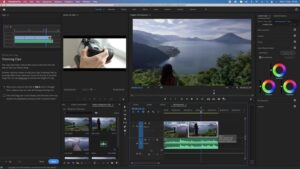
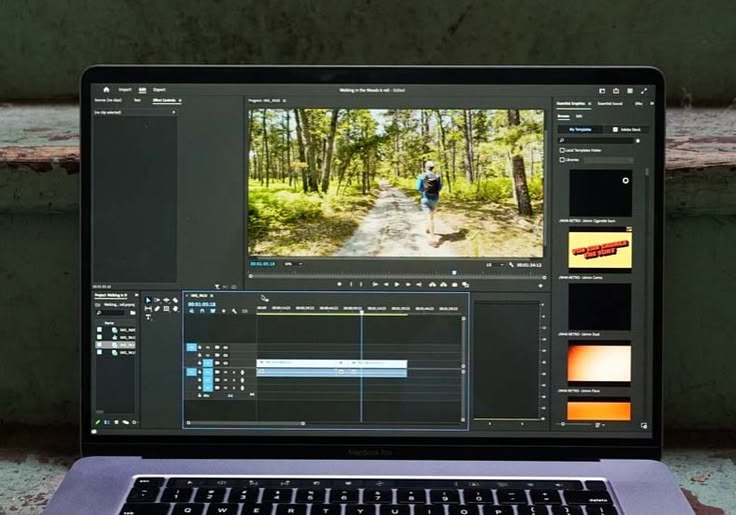
For marketing teams with more editing expertise or higher production standards for short-form content, Adobe’s tools offer significantly more granular control than mobile-first apps like CapCut. Premiere Rush is Adobe’s mobile and lightweight desktop tool aimed specifically at quicker social-video editing, while full Premiere Pro offers professional-grade editing power for teams that need precise color grading, advanced audio mixing, or complex multi-layer effects even within a short-form format.
Adobe has also built AI-powered features into its editing suite, including automatic scene detection, AI-powered audio cleanup that removes background noise and filler words, and automatic reframing that can intelligently convert horizontal footage into a vertical format by tracking the most important subject in frame — a genuinely useful feature for teams that have existing horizontal footage they need to adapt for vertical short-form platforms.
InShot: A Simpler Mobile-First Alternative
InShot has built a loyal following as a simpler, more streamlined mobile editing app, often preferred by marketers and creators who find CapCut’s growing feature set slightly overwhelming for quick, straightforward edits. It covers the essentials well — trimming, basic effects, text overlays, music — without as many advanced AI features, making it a solid choice for teams that mainly need fast, no-frills editing rather than the more elaborate trend-driven effects CapCut is known for.
Descript: Editing Video by Editing Text
Descript takes a genuinely different approach to video editing that’s particularly well-suited to short-form content built from talking-head or interview footage. Rather than working with a traditional timeline, Descript transcribes your video and lets you edit by editing the text transcript directly — deleting a sentence from the transcript deletes that segment from the video automatically, and it includes a feature that can automatically remove filler words and long pauses across an entire recording in one action.
For marketing teams regularly cutting short clips from longer talking-head content — podcast highlights, webinar excerpts, executive commentary — Descript’s transcript-based editing approach can be dramatically faster than scrubbing through a timeline manually to find and cut the right moments, especially when combined with its AI-powered “Underlord” features for automatically identifying the most engaging or clip-worthy segments of a longer recording.
Opus Clip: Automated Highlight Extraction From Long-Form Video
Covered in more depth in the dedicated repurposing tools guide, Opus Clip deserves a specific mention here as an editing tool in its own right, since it doesn’t just identify highlight-worthy segments from long-form video — it automatically edits them into finished, vertical-format short clips complete with captions and basic visual styling. For marketing teams that regularly produce long-form video content (webinars, podcasts, YouTube videos) and need to consistently extract short-form clips from that footage, Opus Clip can meaningfully reduce the manual editing time required, functioning as a first-pass automated editor that a human then refines rather than starting entirely from scratch.
Canva: For Teams That Want Editing and Design in One Tool
Canva’s video editing capabilities, covered in more depth in the dedicated Magic Studio review, are worth mentioning specifically in a short-form editing context because of how well they integrate with a brand’s existing design assets. For marketing teams that are already managing brand colors, fonts, and logos inside Canva for other content, editing short-form video inside the same platform means text overlays, intros, and outros can automatically pull from established brand assets, keeping visual consistency across video and non-video content without extra manual setup.
Choosing Based on Your Team’s Actual Workflow
The right tool depends heavily on who’s actually doing the editing and what kind of source footage they’re working from. If your team is filming and editing primarily on mobile, with a need for trend-aware effects and fast auto-captioning, CapCut is the strongest general-purpose default. If your team has dedicated video editing expertise and needs more granular control, or works across both short-form and longer, more polished video content, Adobe’s tools offer a more capable but steeper option. If your short-form content is regularly built from talking-head or interview footage, Descript’s transcript-based editing approach can save real time. And if your team is regularly extracting short clips from existing long-form video content, a dedicated tool like Opus Clip handles the highlight-finding step that would otherwise eat up the most manual time.
Many teams end up using a combination — Descript or Opus Clip for the initial extraction and rough cut from longer source footage, followed by CapCut or Canva for final polish, captions, and platform-specific formatting.
The Non-Negotiable Basics Across Any Tool
Regardless of which specific tool your team settles on, a few practices consistently separate short-form video that performs well from short-form video that doesn’t, and are worth building into your editing checklist regardless of platform. Always add accurate captions, since a substantial share of viewers watch with sound off, and auto-caption features across all major tools have become accurate enough that there’s little excuse to skip this step. Keep the first two to three seconds genuinely attention-grabbing, since short-form platforms are ruthless about dropping viewers who aren’t hooked almost immediately, and this is worth specifically reviewing and re-cutting if the opening feels slow. Edit for the platform’s native aspect ratio from the start rather than cropping an afterthought — vertical 9:16 framing for TikTok, Reels, and Shorts should inform how footage is shot and framed, not just how it’s cropped in post. And keep individual clips tightly trimmed, cutting any dead air, filler words, or slow buildup that a longer-form video might tolerate but that short-form audiences will not.
Building an Efficient Batch Editing Workflow
Given how much volume short-form content demands, the most efficient teams treat editing as a batch process rather than a one-off task per video. A common effective workflow involves filming or gathering several pieces of raw footage in one session, then dedicating a separate, focused editing block to process multiple clips in sequence using the same tool and the same basic template or style settings, rather than constantly switching context between filming and editing throughout the week. This batching approach, combined with reusable templates and presets within tools like CapCut or Canva, significantly reduces the average time spent per finished clip compared to treating each video as an independent, from-scratch editing project.
The Bottom Line
Short-form video editing tools have matured to the point where producing a steady volume of polished, platform-appropriate short-form content no longer requires a dedicated video editor on staff, though having one still raises the production ceiling for teams with higher creative ambitions. For most marketing teams, a combination of a fast, AI-powered mobile-first tool like CapCut for general editing, paired with a specialized tool like Descript or Opus Clip for extracting clips from longer source footage, covers the vast majority of short-form video needs efficiently. The consistent priority across any tool choice should be speed and a repeatable workflow, since short-form video’s whole value proposition depends on frequency and consistency, not any single video being a polished masterpiece.
Frequently Asked Questions
Do I need a paid subscription to get good results from CapCut? CapCut’s free tier covers most of what marketing teams need, including auto-captions and many effects. Paid tiers unlock additional premium templates, effects, and higher export quality, which matter more for teams with higher production polish standards than for basic, fast-turnaround social content.
Is it worth learning a professional tool like Premiere Pro if we mainly post short-form content? Only if your team needs advanced color grading, complex multi-track audio, or highly custom effects beyond what mobile-first tools offer. Most short-form marketing content doesn’t require this level of control, so it’s worth honestly assessing whether the steeper learning curve is justified by your actual creative needs.
How important are captions really, compared to other editing choices? Very important. Captions are one of the highest-impact, lowest-effort improvements available, since a large share of viewers watch with sound off, and skipping this step means losing a meaningful portion of your potential audience regardless of how well everything else in the video is edited.
Can AI editing tools work with footage shot on any phone or camera? Generally, yes. Most modern short-form editing tools accept standard video formats from any smartphone or camera, though very high-resolution or unusual file formats occasionally need conversion first. It’s worth doing a quick test import before a big batch editing session to confirm compatibility with your specific footage source.