Slack has become the default communication tool for a huge number of remote and hybrid teams, largely replacing internal email for day-to-day chatter, decisions, and quick coordination. Its free plan is genuinely functional and lets small teams get started without paying anything. But there is one specific limitation baked into the free tier that quietly costs teams real information over time, and understanding exactly how it works is the key to deciding whether upgrading is worth it.
What Slack Free Actually Includes
Slack’s free plan is fully featured in most day-to-day respects. You get unlimited team members, core messaging and channels, file sharing up to 5GB of total storage shared across the entire workspace, up to 10 third-party app integrations (things like Google Drive or Zoom), and one-on-one video and voice calls through Slack Huddles.
For a small, early-stage team, freelancer collective, or informal community, this covers a lot of ground. The interface, search, channels, and core collaboration experience are identical to what paid users get; nothing about the free plan feels crippled in daily use, at least not until you hit its defining restriction.
The 90-Day Message History Limit, Explained
The single most important thing to understand about Slack’s free plan is the 90-day message and file history limit. This is frequently misunderstood, so it is worth being precise about what actually happens. Messages older than 90 days are not deleted immediately. According to Slack’s own policy, they become hidden from search and inaccessible through the normal interface, but they technically still exist in Slack’s systems for up to one year from the original message date, at which point they are permanently deleted.
In practical terms, this means that once a conversation crosses the 90-day mark, your team effectively loses access to it. A decision made three months ago, a shared file, a client conversation, none of it can be searched, referenced, or pulled up again unless you are on a paid plan. This is the restriction that drives the vast majority of upgrades from Slack Free to Slack Pro, more than any other single feature.
The severity of this limitation depends entirely on how your team uses Slack. Teams working on short, defined projects with a clear end date, such as a six-week sprint, may never feel the pinch, since the relevant conversation history rarely needs to survive past the project’s own lifespan. But teams that use Slack as a source of institutional memory, for tracking client relationships, documenting past decisions, or referencing old technical discussions, will run into this wall regularly and often at inconvenient moments.
Other Free Plan Limitations Worth Knowing
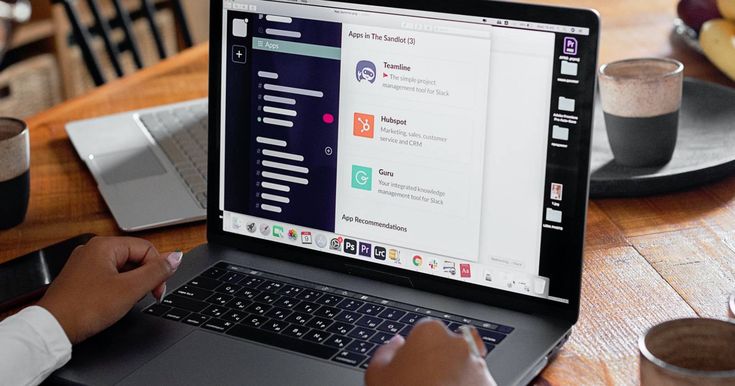
Beyond the headline history limit, Slack Free carries a handful of other restrictions that matter depending on your workflow. The 10-app integration cap becomes a real constraint for any team that relies on a broader tool stack, since connecting an eleventh app (whether that is a CRM, a project management tool, or an additional calendar integration) simply is not possible without upgrading.
Group video and voice calls are not available on the free plan; only one-on-one calls through Huddles work, meaning any team meeting that needs more than two participants on video has to happen through a separate tool like Zoom or Google Meet rather than natively inside Slack. Slack Connect, the feature that lets you create shared channels with people at other companies for cross-organization collaboration, also requires a paid plan or at minimum a free trial of one; it is not available on the standard free tier.
What Slack Pro Adds
Slack Pro is the entry-level paid tier, typically priced around $7.25 per user per month when billed annually (monthly billing runs somewhat higher, often close to $8.75 to $9 per user). Pro removes the 90-day history limit entirely, giving you unlimited, fully searchable message and file history for as long as your workspace exists. It also removes the 10-app integration cap, allowing unlimited third-party app connections, and unlocks group video and voice calls so your whole team can meet natively inside Slack rather than switching to another platform.
Pro also enables Slack Connect, letting you build shared channels with external partners, clients, or vendors directly inside your workspace, which many client-facing businesses find genuinely useful for streamlining communication that would otherwise happen over scattered email threads.
What Slack Business+ Adds
Business+ sits above Pro, typically priced around $12.50 per user per month on annual billing. It adds enterprise-grade features like SAML-based single sign-on, data exports for compliance purposes, 99.99 percent uptime guarantees backed by a service level agreement, and 24/7 support. This tier is generally aimed at larger, more security-conscious organizations rather than small or mid-sized teams, and most growing businesses will find Pro sufficient for a long while before Business+ becomes necessary.
A Pricing Detail Worth Knowing: Seat Minimums
One detail that catches some teams off guard is that Slack’s paid plans often require a minimum of three seats, meaning even a two-person team upgrading to Pro would be billed for three seats regardless of actual headcount. This is worth factoring into your cost calculation if you are a very small team considering the upgrade, since your real monthly cost may be somewhat higher than a simple per-person multiplication would suggest.
The Real Cost of Losing History: A Practical Framing
Rather than thinking about the 90-day limit abstractly, it helps to consider what specific kinds of information your team would lose access to on the free plan. If your Slack workspace is where client-facing decisions get made, where project specifications are discussed and finalized, or where important technical troubleshooting happens, losing access to that history after 90 days represents a genuine, recurring cost, not just an inconvenience. Every time someone needs to reference “what we agreed with the client back in March” and cannot find it because it aged out of search, that is time lost and, in some cases, real risk if a dispute arises about what was actually agreed.
For teams where Slack functions more as a live, ephemeral chat layer alongside a more permanent system of record, like email for formal decisions or Confluence and Notion for documentation, the 90-day limit is less painful, since the important information already lives somewhere else that does not age out.
Alternatives Worth Knowing If Cost Is the Main Concern
If the primary appeal of staying on Slack Free is cost rather than a genuine belief that the history limit does not matter to your team, it is worth knowing that several Slack alternatives offer unlimited message history even on their free tiers. Pumble, for example, offers unlimited chat history on its free plan and prices its paid tiers noticeably below Slack’s, often starting around $2.50 per user per month, making it a genuinely budget-friendly option for teams that specifically need long-term searchable history without paying Slack’s rate. Discord, more associated with gaming and informal communities, is also free with unlimited history and includes voice channels, and has seen adoption among freelancer and creator communities as an alternative to Slack for less formal team communication. Switching platforms is a bigger decision than simply upgrading, since it involves migrating an entire team’s habits and workflow, but it is worth knowing the option exists if Slack’s pricing specifically, rather than its feature set, is the sticking point.
Who Should Stick With Slack Free
Very early-stage startups and small teams still figuring out their workflow, teams working on short, defined projects without a long institutional memory need, and organizations using Slack purely as an informal, secondary communication layer alongside another primary system of record can all reasonably stay on the free plan without real cost. If your team rarely needs to look back further than a few weeks and does not depend on more than 10 integrated apps, the free plan will likely continue to work well.
Who Should Upgrade to Slack Pro
The upgrade becomes clearly worthwhile the moment any of the following applies to your team: you regularly need to search for or reference conversations, decisions, or files older than 90 days; you manage client relationships or important business context inside Slack channels; you depend on more than 10 third-party integrations to keep your workflow connected; or your team needs group video calls natively inside Slack rather than switching tools. At roughly $7.25 per user per month on an annual plan, Pro removes every one of the free plan’s major practical restrictions, and for most teams past the earliest startup stage, the history limit alone tends to justify the cost within the first few months of noticing it.
The Bottom Line
Slack’s free plan is not a crippled trial version; it is a fully functional workspace for small or early-stage teams. But the 90-day message history limit is a real, recurring cost disguised as a minor inconvenience, and it tends to surface at the worst possible moments, exactly when a team needs to look something up and cannot. The decision to upgrade rarely comes down to features in the abstract. It comes down to a simple, practical question: how much does losing access to your own team’s conversation history after three months actually cost you? For most teams using Slack as more than a disposable chat layer, the answer justifies the upgrade.