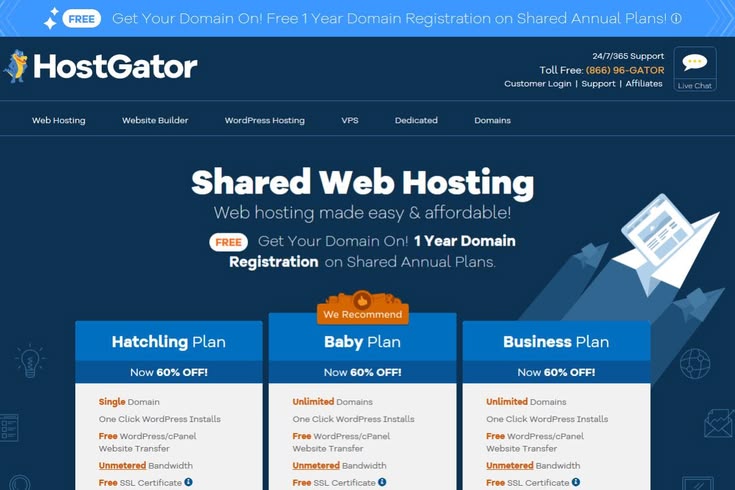
Every website starts somewhere, and for most people, that somewhere is shared hosting. It’s cheap, it’s easy to set up, and for a small blog or a brand-new business site, it does the job just fine. But websites grow. Traffic increases, content piles up, and at some point, the hosting plan that once felt spacious starts to feel like a studio apartment stuffed with furniture from a five-bedroom house.
The tricky part is knowing exactly when that moment has arrived. Move too early, and you’re paying for resources you don’t need yet. Move too late, and your visitors are already suffering through slow load times, timeouts, and error messages. This guide walks through the real signs that it’s time to leave shared hosting behind, what dedicated hosting actually offers, and how to make the switch without turning your website into a construction zone.
What Shared Hosting Actually Is (And Why It Has Limits)
Shared hosting means your website lives on a server alongside dozens, sometimes hundreds, of other websites. Everyone on that server splits the same CPU, memory, and bandwidth. It’s a bit like living in an apartment building where everyone shares the same water heater and electrical panel. Most of the time, this works fine because not everyone uses maximum resources simultaneously.
The problem is that shared hosting was never designed for heavy lifting. It’s built for simplicity and low cost, not performance under pressure. As long as your site stays small and your traffic stays modest, you’ll likely never notice the limitations. But growth changes everything, and that’s where the cracks start to show.
Sign One: Your Site Is Slowing Down During Traffic Spikes
If your website used to load quickly and now crawls whenever you get a burst of visitors — say, after a social media mention, a marketing email, or a seasonal sales push — that’s a strong signal you’ve outgrown your current plan. On shared hosting, your site’s performance is directly tied to what your “neighbors” on the server are doing. If another website on the same server suddenly gets hammered with traffic, your site can slow down too, even if your own traffic hasn’t changed at all.
This is one of the most frustrating aspects of shared hosting: your performance isn’t fully in your control. Dedicated hosting removes that variable entirely because you’re the only tenant. Every bit of CPU, RAM, and bandwidth on that machine belongs to you.
Sign Two: You’re Hitting Resource Limits Constantly
Most shared hosting plans come with soft caps on CPU usage, memory, and the number of simultaneous processes your site can run. When you exceed these limits, your host may throttle your site, display error messages, or even temporarily suspend your account. If you’re seeing “resource limit exceeded” errors, 508 errors, or repeated warnings from your hosting provider about excessive usage, this is your website telling you it needs more room to operate.
Some hosts will quietly throttle performance without any obvious warning, which is arguably worse. Your visitors experience slowness, but you don’t get a clear signal about why. If your dashboard shows consistently high CPU or memory usage, even during normal traffic, it’s a clue that a dedicated environment would serve you better.
Sign Three: Your Traffic Has Crossed a Meaningful Threshold
There’s no single magic number that applies to every website, because traffic alone doesn’t tell the whole story — a simple blog with static pages can handle far more visitors than a dynamic e-commerce store with the same traffic level. That said, many hosting experts point to somewhere between 20,000 and 50,000 monthly visitors as the range where shared hosting starts to strain, particularly for sites with dynamic content, databases, or e-commerce functionality.
If you’re running WooCommerce, a membership site, or anything that queries a database on every page load, that threshold drops considerably lower. Database-heavy sites tax shared servers much faster than static content does, because every query competes with other sites’ queries for the same limited resources.
Sign Four: You Need More Control Over Your Server Environment
Shared hosting is a one-size-fits-all environment. You get whatever software versions, configurations, and security setups your host has decided on for everyone on that server. If you need a specific PHP version, custom server-level caching rules, particular security configurations, or the ability to install custom software, shared hosting simply won’t allow it.
Dedicated hosting gives you full root access to the server. You can configure it exactly how your application needs, install whatever software your project requires, and fine-tune performance settings that shared hosting would never expose to you. For developers running custom applications or unusual tech stacks, this level of control often becomes necessary long before traffic alone would force a move.
Sign Five: Security and Compliance Requirements Have Increased
When you share a server with other websites, you also share risk. If another site on that server gets compromised through weak security, becomes infected with malware, or gets used to send spam, your site can suffer collateral damage — think blacklisted IP addresses, degraded server reputation, or even downtime while the host cleans up the mess.
Businesses that handle sensitive customer data, process payments directly, or need to meet specific compliance standards (like PCI DSS for payment processing) often find that dedicated hosting isn’t just a performance upgrade, it’s a requirement. Isolating your data on a server you fully control significantly reduces exposure to other tenants’ security mistakes.
Sign Six: Your Business Depends on Uptime
For a hobby blog, occasional downtime is annoying but not catastrophic. For an online store, a SaaS product, or a business where the website generates direct revenue, every minute of downtime has a real cost. Shared hosting environments are more prone to instability precisely because so many variables outside your control — other sites’ traffic, other sites’ misconfigurations, shared resource pools — can affect your uptime.
If downtime is starting to cost you sales, customers, or reputation, that’s not a performance inconvenience anymore. It’s a business risk, and it’s usually a clear signal that it’s time to move to an environment where you’re not sharing infrastructure with unpredictable neighbors.
What You Actually Get With Dedicated Hosting
Moving to a dedicated server means you get an entire physical machine reserved exclusively for your website or application. Nobody else’s traffic, misconfigurations, or resource spikes affect you. Here’s what that typically translates to in practical terms:
Full, predictable access to CPU cores, RAM, and storage that scales with your actual usage rather than being throttled by shared limits. Root-level access to configure the server exactly as your application needs, including custom software installations, security hardening, and performance tuning. Better security isolation, since you’re not exposed to vulnerabilities introduced by other websites on a shared machine. Significantly more consistent performance, because your site’s speed depends only on your own traffic and configuration, not on what strangers are doing elsewhere on the server. The ability to handle far higher traffic volumes and more complex applications, including custom databases, multiple applications running simultaneously, or resource-intensive processes like video processing or large-scale data handling.
The Trade-Offs You Should Know About
Dedicated hosting isn’t free of downsides, and it’s worth being honest about them before you commit. The most obvious is cost. Dedicated servers typically run anywhere from $80 to $500+ per month depending on specifications, compared to shared hosting plans that often cost less than $10 a month. That’s a significant jump, and it only makes sense if your site’s growth or business needs actually justify it.
The second trade-off is responsibility. With shared hosting, your provider handles most of the server management, security patching, and technical maintenance behind the scenes. With a fully dedicated (unmanaged) server, that responsibility often falls on you or requires hiring someone with the technical expertise to manage it. Many hosts offer “managed dedicated hosting,” which bridges this gap by handling server maintenance for you, but it typically costs more than the unmanaged equivalent.
Finally, dedicated servers are less flexible in the short term than cloud-based alternatives. If your traffic fluctuates seasonally or unpredictably, a dedicated server’s fixed resources might mean you’re either overpaying during slow periods or under-resourced during peaks, unlike cloud hosting, which can scale resources dynamically.
Is There a Middle Ground?
If dedicated hosting feels like too big a jump but shared hosting is clearly holding you back, there are stepping stones worth considering. VPS (Virtual Private Server) hosting divides a physical server into isolated virtual environments, giving you dedicated resources within a shared physical machine, at a lower cost than a fully dedicated server. It’s a popular middle step for websites that have outgrown shared hosting but aren’t yet ready for the cost or complexity of a dedicated machine.
Cloud hosting is another alternative, offering scalable resources that adjust to your traffic in real time, which can be more cost-effective for websites with unpredictable or seasonal traffic patterns. Many growing businesses move from shared hosting to VPS or cloud hosting first, and only jump to dedicated hosting once their needs become large and consistent enough to justify it.
How to Make the Switch Without Breaking Your Site
Once you’ve decided a move is necessary, the transition itself deserves careful planning. Start by auditing your current resource usage through your hosting dashboard or by asking your provider for detailed usage reports. This tells you exactly what specifications you’ll need on your new server, rather than guessing.
Choose a hosting provider with strong migration support, since moving a live website involves transferring files, databases, email accounts, and DNS settings without causing downtime or data loss. Many hosting companies offer free migration assistance for customers switching to dedicated plans, which is worth asking about directly.
Test everything on the new server before pointing your domain to it. Most providers let you access the new server via a temporary URL or IP address so you can verify that everything — your database connections, plugins, custom scripts, and email — works correctly before making the switch live. Once you’re confident everything functions properly, update your DNS records and monitor closely for the first 24 to 48 hours, since DNS propagation can take time and you’ll want to catch any issues early.
Bringing It All Together
The decision to move from shared to dedicated hosting isn’t about hitting one specific number or checking one particular box. It’s about recognizing a pattern: slower performance during peak times, recurring resource limit warnings, growing security or compliance needs, and a business that genuinely depends on consistent uptime. When these signs start stacking up together, they’re telling you that your website has outgrown the environment it started in.
Making the move doesn’t have to be intimidating. With the right preparation, a clear understanding of your resource needs, and a hosting provider that supports a smooth migration, upgrading to dedicated hosting can be the change that finally gives your website the stability, speed, and control it needs to keep growing.