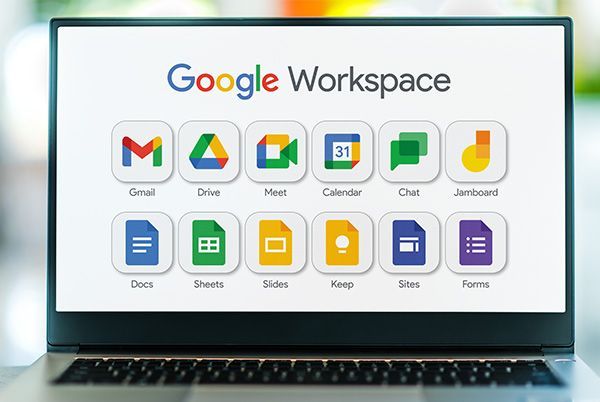
Google Workspace occupies a slightly different position than most of the other tools in the free-versus-paid conversation, because it is not actually free in any permanent sense for businesses. There is no everyday “Google Workspace Free” tier the way there is a Canva Free or a Trello Free. What exists instead is a 14-day free trial, a set of genuinely free personal Gmail accounts that lack business features, and a tier structure of paid plans that start relatively affordably and scale up from there. This guide untangles exactly what is and is not free, what each paid tier includes, and how to figure out which plan actually fits your business.
Is Google Workspace Actually Free? Clearing Up the Confusion
The honest answer is no, not for business use. A personal Gmail account, the free @gmail.com address most people already have, does give you access to Gmail, Google Drive, Docs, Sheets, and Meet at no cost, and those tools are genuinely capable for individual, non-business use. But a free Gmail account comes without a custom business domain (you cannot get you@yourcompany.com), without admin controls for managing a team, and without the business-grade security, storage, and support features that come bundled into paid Workspace plans.
Google does offer a 14-day free trial on its Business Starter, Business Standard, and Business Plus plans, giving you full access to test the platform with your actual business domain and team before committing to payment. This trial is the closest thing to a genuine “free” Workspace experience for a business, but it is time-limited by design rather than a permanent free option. There is also a more limited free offering called Google Workspace Essentials Starter, which provides a genuinely free, permanent collaboration suite, but notably without Gmail included, meaning it does not solve the custom business email need that drives most people to Workspace in the first place.
What Google Workspace Business Starter Includes
Business Starter is the entry-level paid plan, priced around $7 per user per month with an annual commitment, or around $8.40 per user per month on flexible monthly billing (exact pricing varies somewhat by region and has shifted over the past year, so it is worth checking current rates directly). Business Starter includes professional Gmail with your own custom domain, Gemini AI assistance built into Gmail, video meetings supporting up to 100 participants, 30GB of pooled cloud storage per user, and 24/7 phone and email support.
For a small business, freelancer, or startup mainly looking to move off a free Gmail address and onto a professional you@yourcompany.com email with basic collaboration tools, Business Starter covers the essentials well. The storage allowance is the most notable constraint at this tier; 30GB per user is workable for email and documents but can feel tight for teams that store and share a lot of large files, like design assets, video, or extensive photo libraries.
What Google Workspace Business Standard Includes
Business Standard sits in the middle of the lineup, typically priced around $14 per user per month annually (roughly $16.80 monthly on flexible billing). This tier meaningfully expands storage to 2TB of pooled storage per user, a substantial jump from Business Starter’s 30GB, and increases video meeting capacity to 150 participants with the added ability to record meetings and track attendance.
Business Standard also extends Gemini AI access across the full suite of apps rather than just Gmail, meaning AI assistance becomes available inside Docs, Sheets, Meet, and other core tools. Electronic signature capability is included at this tier as well, useful for any business that regularly needs signed contracts or agreements without paying for a separate e-signature tool. For most small-to-mid-sized businesses that have outgrown Business Starter’s storage limits or want AI assistance across their whole workflow rather than just email, Standard tends to be the recommended default plan.
What Google Workspace Business Plus Includes
Business Plus is the top of the standard business tier lineup, typically priced around $22 per user per month annually (roughly $26.40 monthly on flexible billing). It further increases storage to 5TB of pooled storage per user, expands video meeting capacity to 500 participants with recording and attendance tracking, and adds enhanced security features, including more advanced device management and data loss prevention tools suited to businesses handling sensitive information.
This tier tends to make sense for growing companies with heavier storage needs, larger team meetings or company-wide calls, and a genuine need for stronger security controls, such as businesses in regulated industries or those handling sensitive client data.
What Google Workspace Enterprise Includes
Enterprise is Google’s top tier and does not have published, self-serve pricing; it requires contacting Google’s sales team directly for a custom quote. Enterprise adds the most advanced security, compliance, and governance controls Google offers, along with dedicated support and the ability to negotiate volume-based pricing for larger organizations. Unless you are running a company with hundreds of employees or specific regulatory compliance requirements, Enterprise is unlikely to be the right starting point, and most small and mid-sized businesses will find everything they need within the three standard Business tiers.
A Note on Seat Limits
It is worth knowing that Business Starter, Standard, and Plus can each be purchased for a maximum of 300 users per domain, with no stated minimum. If your organization grows past 301 users, you are required to move to the Enterprise tier, which has no published maximum and is priced through a custom sales negotiation. This is worth planning for if your company is on a clear growth trajectory, since the eventual move to Enterprise pricing is a meaningfully different, less transparent purchasing process than simply adding more seats on a self-serve plan.
How Gemini AI Fits Into Current Pricing
One of the more significant recent changes to Google Workspace’s value proposition is how Gemini AI access is bundled. Rather than being sold as a separate paid add-on the way it once was, Gemini access is now included directly within the standard pricing tiers described above, though the depth of access differs by plan. Business Starter includes more limited AI access, primarily within Gmail, while Business Standard and Plus include broader Gemini access across Docs, Gmail, and Meet, along with expanded access to NotebookLM. Heavy AI usage beyond what is included in a given tier can fall under a separate expanded-access add-on, so businesses planning to use AI features intensively should factor that possibility into their budgeting rather than assuming unlimited AI usage is included at every tier.
Ways to Reduce Your Effective Cost
A few practical levers exist for reducing what you actually pay for Google Workspace. Annual billing consistently saves a meaningful amount compared to flexible monthly billing, commonly cited around a 16 to 20 percent discount depending on the specific plan and current promotion, so committing annually is worthwhile once you are confident in your team size and needs. Authorized Google resellers also sometimes offer Workspace at a lower effective rate than buying directly from Google, particularly at larger seat counts, so it is worth researching reseller options if you are purchasing for a sizable team.
It is also worth actively managing your seat count over time. Since Workspace is priced per user per month, deleting or downgrading accounts for employees who have left the company, or ensuring team members who only need basic tools are not paying for a higher tier than necessary, can meaningfully reduce your ongoing monthly cost without losing any functionality your active team actually uses.
Google Workspace vs a Personal Gmail Account: Is Upgrading Necessary?
For a genuine solo freelancer or a very early-stage side project without a formal client-facing brand, a free personal Gmail account can honestly suffice for a while, particularly if a custom domain email is not yet essential to how clients perceive your business. But the moment professionalism, credibility, or a formal team structure starts to matter, the case for paying for Business Starter becomes fairly strong. A custom domain email address is one of the simplest, most visible signals of legitimacy to clients and partners, and the cost of entry, around $7 to $8.40 per user per month, is low enough that most small businesses find it worthwhile early on rather than waiting.
Who Should Choose Business Starter
Freelancers, very small businesses, and startups whose primary need is a professional custom-domain email address along with basic collaboration and video meeting tools should start with Business Starter. Its 30GB storage allowance is a real constraint for teams generating a lot of large files, but for text-heavy, document-driven work, it tends to be sufficient, at least initially.
Who Should Choose Business Standard
Growing small-to-mid-sized businesses that are hitting Business Starter’s storage limits, want AI assistance available across their entire suite of tools rather than just email, or need built-in electronic signature capability should move to Business Standard. This tier is frequently cited as the best overall value in Google’s lineup, striking a reasonable balance between meaningfully expanded storage and features without jumping all the way to Plus-level pricing.
Who Should Choose Business Plus or Enterprise
Businesses with heavy storage demands, frequent large company-wide meetings, or genuine security and compliance needs, such as handling sensitive client or financial data, should look to Business Plus. Larger organizations approaching or exceeding the 300-user cap, or those with formal regulatory compliance requirements, should plan for an eventual move to Enterprise and budget time for the custom sales negotiation that entails.
The Bottom Line
Google Workspace does not offer a genuine permanent free tier for business use the way tools like Trello or Notion do; what it offers instead is a 14-day free trial to test any paid plan risk-free before committing. For most small businesses, the practical decision comes down to Business Starter versus Business Standard, with storage needs and the desire for broader AI access across the whole app suite being the deciding factors between the two. Larger, more established businesses with heavier collaboration and security needs should look toward Business Plus, while only genuinely large organizations need to engage with Enterprise’s custom pricing. Given how often Google’s exact pricing shifts, and how meaningfully regional pricing can differ, it is worth confirming current rates directly on Google’s official Workspace pricing page before making a final decision.