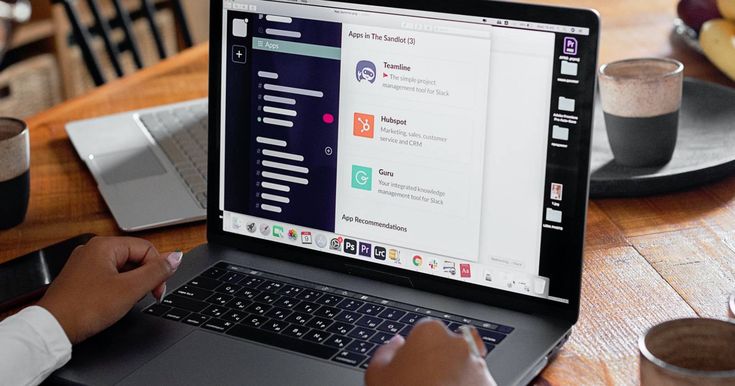
Slack is often the default answer when a small business asks what tool to use for team communication, and for good reason — it’s polished, widely known, and genuinely well-designed. But it’s not automatically the right fit for every small business. Pricing can climb quickly as a team grows, some businesses find its feature set more than they actually need, and others simply prefer a different approach to organizing conversations and work.
This guide covers the strongest Slack alternatives specifically through the lens of small business needs: tight budgets, small teams, and often a preference for tools that do a few things well rather than everything at once.
What Small Businesses Actually Need From a Communication Tool
Before comparing specific tools, it’s worth being clear about what actually matters for a small business, since the criteria are often different from what a large enterprise prioritizes.
Affordability at small scale. Many communication tools price per user, which can make even modest per-seat costs add up meaningfully for a five- or ten-person team, especially early on when every dollar of overhead matters.
Low setup and maintenance overhead. Small businesses rarely have a dedicated IT department to manage a complex tool. The best fit is usually something that works well with minimal configuration.
Enough integration to be useful without needing a lot of it. A five-person team doesn’t need the same integration depth as a 500-person enterprise — a handful of solid, relevant integrations matters more than an enormous library most of the team will never touch.
A feature set matched to actual team size. Enterprise-oriented tools sometimes bury small teams in features — granular permissions, complex admin controls — that add complexity without adding real value at small scale.
With those priorities in mind, here are the strongest alternatives worth considering.
Microsoft Teams
For small businesses already using Microsoft 365 for email and documents, Teams is often the most cost-effective alternative simply because it’s frequently bundled into existing subscriptions at no extra charge. It provides solid chat, video calling, and file collaboration, and its tight integration with Word, Excel, and Outlook means less time spent switching between apps.
The trade-off is that Teams’ interface carries more complexity than a small team might need, and its chat-specific features (like search and thread management) aren’t quite as polished as Slack’s. Still, for cost-conscious small businesses already inside the Microsoft ecosystem, the built-in nature of Teams often outweighs those minor rough edges.
Google Chat
For small businesses on Google Workspace, Google Chat offers a similarly bundled advantage — it’s included with most Google Workspace plans and integrates tightly with Gmail, Google Drive, Docs, and Calendar. It’s considerably lighter and simpler than Slack, which can be a genuine advantage for very small teams that find Slack’s feature set more than they need.
Google Chat’s simplicity is also its limitation — it lacks the depth of integrations and customization Slack offers, and larger or more communication-heavy teams may eventually find it too basic. But for a small business already living inside Google’s ecosystem and wanting straightforward chat without extra cost, it’s a practical option.
Discord
Originally built for gaming communities, Discord has increasingly found a second life as a business communication tool, particularly among small, informal, or creative teams. Its free tier is genuinely generous, supporting unlimited message history, voice channels, and screen sharing without the paywalls common in business-oriented tools.
Discord’s voice channels are a particular standout — team members can drop into a persistent voice room and talk casually, without the formality of scheduling a meeting, which suits small teams with a more relaxed, always-on collaborative style. It lacks some business-specific features like formal read receipts or enterprise-grade admin controls, and its gaming heritage means it doesn’t always feel like a natural fit for more traditional or client-facing businesses. But for small, culturally informal teams — especially in creative, gaming, or tech spaces — it’s a surprisingly capable and cost-effective option.
Rocket.Chat
Rocket.Chat is an open-source alternative that appeals particularly to small businesses with technical teams comfortable with self-hosting, or those with specific data sovereignty and privacy requirements that make hosting communication data themselves attractive. Because it’s open source, businesses can either self-host it for free (requiring some technical setup) or use a hosted cloud version at a lower cost than many competitors.
Its feature set closely mirrors Slack’s — channels, direct messages, file sharing, and integrations — while offering significantly more control over data and customization for businesses that want it. The trade-off is that self-hosting requires technical resources most small businesses without an in-house developer won’t have readily available, making the hosted cloud option the more realistic choice for most.
Twist
Twist, built by the makers of the project management tool Todoist, was specifically designed as a reaction against the “always-on” pressure of tools like Slack. Instead of a constant real-time chat stream, Twist organizes conversations into threads, similar to email, encouraging more thoughtful, asynchronous communication rather than rapid-fire back-and-forth messaging.
This makes it a particularly strong fit for small businesses that have deliberately embraced remote or asynchronous work culture and want a tool that reinforces that philosophy rather than fighting against it. Teams used to Slack’s real-time pace sometimes find the adjustment period frustrating at first, but many come to appreciate the reduced notification pressure and more organized, easier-to-follow conversation threads.
Flock
Flock positions itself directly as a more affordable, small-business-friendly Slack alternative, with a similar channel-and-messaging interface but a notably lower price point at comparable feature tiers. It includes built-in productivity features like shared to-do lists, polls, and note-sharing directly within the chat interface, reducing the need for separate task management tools for very small teams.
Its integration ecosystem is smaller than Slack’s, which may matter for businesses relying heavily on specific third-party tool connections, but for small teams wanting Slack-like functionality without Slack-like pricing, Flock is a reasonable and often overlooked option.
Chanty
Chanty is another budget-conscious Slack alternative, built around a similarly simple channel-based interface with unlimited message history included even on its lower tiers — a meaningful advantage over tools that limit searchable history on free or entry-level plans. It includes a built-in task management feature (Kanban-style boards) directly within the chat interface, aimed at reducing the number of separate tools a small team needs to juggle.
Chanty’s overall feature depth is lighter than Slack’s, and its integration library is considerably smaller, but for very small teams wanting an affordable, straightforward chat tool with basic task management built in, it covers the essentials well.
How to Choose the Right Alternative for Your Business
If you’re already using Microsoft 365 or Google Workspace, start by seriously evaluating the bundled option (Teams or Google Chat) before looking elsewhere — the cost savings and integration benefits are often hard to beat, even if the chat experience itself is slightly less polished than Slack’s.
If your team has an informal, always-on culture and doesn’t need heavy enterprise features, Discord is worth a serious look, particularly for its free tier and strong voice channel functionality.
If your team is trying to reduce notification overload and move toward more thoughtful, asynchronous communication, Twist’s thread-based structure directly supports that goal in a way real-time chat tools don’t.
If budget is the primary constraint and you want something that closely mirrors Slack’s core experience at a lower price, Flock or Chanty are both reasonable, purpose-built alternatives.
If data control and self-hosting matter for compliance or privacy reasons, Rocket. Chat offers a level of control the fully hosted commercial alternatives don’t provide.
A Note on Migration
Switching communication tools, even for a small team, involves some transition cost — message history may not transfer cleanly, and team habits take time to adjust. For very small businesses, this cost is manageable, but it’s still worth trialing a new tool with the whole team for a couple of weeks before fully committing and migrating away from an existing platform, particularly if the business has accumulated meaningful searchable history in the current tool.
Final Thoughts
Slack remains an excellent tool, but it’s far from the only good option, and for many small businesses, it isn’t even the most cost-effective or best-suited one. The right alternative depends heavily on what other tools your business already uses, how formal or informal your team’s communication culture is, and how much weight you place on cost versus polish. Testing a shortlist of two or three options with your actual team, rather than choosing based on features alone, is usually the fastest way to find the tool that will actually stick.