Choosing accounting software is one of those decisions that quietly shapes how smoothly your business runs for years to come. Get it right, and invoicing, tax prep, and cash flow tracking become background noise you barely think about. Get it wrong, and you’re stuck wrestling with clunky workflows or paying for features you never use. Two names dominate this conversation almost everywhere small business owners look: QuickBooks and Xero. Both are capable, both are trusted by millions, and both claim to be the easier, smarter choice. This guide breaks down how they actually compare so you can pick the one that fits your business instead of just going with the more famous name.
What QuickBooks and Xero Actually Are
QuickBooks, made by Intuit, has been the default accounting software for small businesses in the United States for decades. It comes in several versions, including QuickBooks Online (cloud-based) and QuickBooks Desktop (installed locally), though most new users today go with QuickBooks Online because of its accessibility and steady stream of updates. It’s built around the assumption that most users are small business owners, bookkeepers, or accountants who want deep functionality without needing a finance degree to use it.
Xero is a cloud-native accounting platform that originated in New Zealand and has since built a strong global following, particularly in Australia, the UK, and increasingly in North America. Unlike QuickBooks, Xero was built for the cloud from day one rather than adapting an older desktop product. This shows in its interface, which many users describe as cleaner and more modern. Xero has positioned itself as the accounting software of choice for businesses that want simplicity without sacrificing depth, especially those with international operations or multiple currencies.
Ease of Use and Interface Design
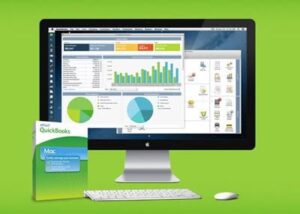
One of the first things people notice when comparing these two platforms is how different they feel to use. QuickBooks has a dashboard packed with information: income and expense summaries, invoice statuses, bank balances, and profit and loss snapshots are all visible at a glance. This is powerful, but it can feel overwhelming to someone who just wants to send an invoice and check their bank balance.
Xero, by contrast, leans into minimalism. Its dashboard is less cluttered, with a clear focus on bank account balances, outstanding invoices, and bills to pay. New users often find Xero more intuitive because the navigation menu is simpler and the learning curve is gentler. That said, “simpler” doesn’t always mean “better” for accountants managing complex books, some of whom find Xero’s simplicity limiting when they need granular controls.
For a business owner without a bookkeeping background, Xero tends to be the friendlier starting point. For someone who wants more built-in guidance, tooltips, and structured workflows, QuickBooks often feels more supportive, if slightly busier.
Core Accounting Features
Both platforms cover the essentials: invoicing, expense tracking, bank reconciliation, financial reporting, and tax preparation support. But the details matter.
QuickBooks Online offers robust invoicing customization, recurring invoices, and progress invoicing for project-based work. Its reporting suite is extensive, with dozens of pre-built reports and strong customization options. It also has a well-developed inventory tracking feature in its higher-tier plans, which matters a lot for product-based businesses. QuickBooks integrates tightly with payroll (through Intuit’s own payroll service) and has particularly strong tax filing support for U.S.-based businesses, including direct integration with TurboTax.
Xero also handles invoicing, bill payment, and reconciliation well, and its bank reconciliation feature is often praised for being faster and more visually intuitive; it uses a simple drag-and-drop style matching system. Xero’s reporting is solid though historically viewed as slightly less flexible than QuickBooks’ at the most granular level, although Xero has closed much of that gap in recent years. One standout Xero feature is unlimited users on every plan, whereas QuickBooks caps the number of users depending on your subscription tier. This alone can be a deciding factor for growing teams that need multiple people accessing the books without upgrading to a pricier plan.
Multi-Currency and International Support
If your business operates across borders, this is where the comparison gets interesting. Xero includes multi-currency support in its mid and higher-tier plans and handles it fairly elegantly, automatically updating exchange rates and letting you view reports in your base currency. This has made Xero especially popular with businesses that have international clients, vendors, or remote teams paid in different currencies.
QuickBooks Online also supports multi-currency, but it’s often described as a bit clunkier to set up and manage. Once multi-currency is turned on, some accounts and settings become locked or harder to change, which can catch new users off guard. If international transactions are a core part of your business, Xero generally has the edge here.
Third-Party Integrations and App Ecosystem
Both platforms plug into a wide range of other business tools, but QuickBooks has the larger ecosystem overall, largely because of its longer market presence and dominant position in the U.S. It integrates with major CRMs, e-commerce platforms, payment processors, and payroll providers, and its app marketplace includes thousands of options.
Xero’s app marketplace is smaller but still substantial, with strong integrations for popular tools like Stripe, PayPal, Shopify, and various CRM and inventory apps. Xero has also cultivated close partnerships with accounting and bookkeeping firms, particularly outside the U.S., meaning many professional bookkeepers are already fluent in the platform. If you’re outside North America, or you work with an accountant who prefers Xero, that relationship can matter more than the raw number of integrations available.
Pricing Structure
Pricing is often the deciding factor for small businesses working with tight margins. QuickBooks Online offers several tiers, starting with a basic Simple Start plan and scaling up to Advanced, with each tier unlocking more users, more automation, and more detailed reporting. Prices increase noticeably as you move up tiers, and add-ons like payroll cost extra.
Xero’s pricing structure is generally viewed as more straightforward, with tiers based mainly on the number of invoices, bills, and bank transactions you can process rather than the number of users. Since Xero includes unlimited users on all plans, growing teams don’t get penalized for adding more people to the books, which can make Xero notably more cost-effective for small businesses with several employees who need account access.
Both companies frequently run promotional discounts for new customers, so it’s worth checking current pricing directly on their websites before deciding, since list prices change and vary by region.
Payroll and Tax Support
In the U.S. market, QuickBooks holds a clear advantage in payroll and tax filing. Intuit’s payroll service integrates seamlessly with QuickBooks Online, and the platform is deeply tied into U.S. tax rules, form generation, and filing support. Many small business owners choose QuickBooks specifically because their accountant already uses it and because tax season becomes noticeably smoother with everything under one Intuit umbrella.
Xero offers payroll too, but historically it has partnered with third-party providers like Gusto in the U.S. rather than offering a fully native payroll product with the same depth. In markets like the UK, Australia, and New Zealand, Xero’s payroll support is much stronger and often preferred, since it was built with those regions’ tax and compliance requirements in mind from the start.
Customer Support
Support experiences vary widely between the two. QuickBooks offers phone support, chat support, and an extensive library of help articles and community forums, given the sheer volume of users, though wait times and support quality have drawn mixed reviews over the years. Xero has traditionally emphasized email and chat support along with an active online community, but does not typically offer phone support in the same way, which some users find limiting when they need an urgent answer.
Since both companies work closely with certified bookkeepers and accountants, many small business owners find that the best support actually comes from a professional who specializes in their chosen platform rather than relying solely on the company’s own support channels.
Who Should Choose QuickBooks
QuickBooks tends to make the most sense for U.S.-based small businesses that want deep integration with payroll and tax filing, need advanced inventory management, or are working with an accountant or bookkeeper who already uses the platform. It’s also a strong choice for businesses that expect to need very detailed, customizable financial reporting as they scale.
Who Should Choose Xero
Xero is often the better fit for businesses with international operations, multiple currencies, or growing teams that need several people accessing the books without paying more per user. It also appeals to business owners who prioritize a clean, modern interface and don’t want to feel overwhelmed by dashboard clutter. Businesses based outside the U.S., particularly in Australia, New Zealand, and the UK, will generally find Xero’s regional support and payroll compliance more tailored to their needs.
Migrating Between Platforms
Switching accounting software mid-stream is never entirely painless, but it’s worth understanding what’s involved before you commit to either platform long-term. Both QuickBooks and Xero offer data import tools that can pull in your chart of accounts, customer and vendor lists, and historical transactions from spreadsheets or from competing platforms, though the process typically works better for relatively clean, well-organized data than for years of messy bookkeeping. Many businesses choose to make the switch at the start of a new fiscal year specifically to avoid splitting historical records across two systems mid-year, which can complicate year-end reporting and tax preparation. If you’re currently using spreadsheets or a different accounting tool and considering either platform for the first time, both offer onboarding resources, and many certified bookkeepers specialize in migrations, which can be worth the investment if your books are at all complex.
Mobile App Experience
Both platforms offer mobile apps that let you manage basic accounting tasks on the go, useful for business owners who want to send an invoice, check a bank balance, or snap a photo of a receipt while away from their desk. QuickBooks’ mobile app is generally well-regarded, offering mileage tracking (particularly useful for businesses with employees who drive for work), receipt capture, and basic invoicing directly from a phone. Xero’s mobile app covers similar core functionality: invoicing, expense tracking, and bank reconciliation, with a clean interface that mirrors the simplicity of its desktop dashboard. Neither app fully replicates the desktop experience for more complex tasks like detailed reporting, but for day-to-day tasks while traveling or between meetings, both apps are more than capable.
Working With an Accountant or Bookkeeper
For many small business owners, the “best” accounting software is ultimately the one their accountant or bookkeeper is already comfortable using, since a smooth working relationship with a financial professional often outweighs small feature differences between platforms. QuickBooks has a larger base of certified ProAdvisors in the U.S. market, simply due to its longer market dominance domestically, which can make it easier to find a bookkeeper already fluent in the platform. Xero has cultivated a similarly strong relationship with accounting professionals, particularly in Australia, New Zealand, and the UK, where it often rivals or exceeds QuickBooks in market share among professional bookkeepers. Before committing to either platform, it’s worth asking your accountant which one they prefer working in, since ongoing collaboration and reduced back-and-forth translate into real time and cost savings over the life of your business.
Final Thoughts
There’s no universally “better” option between QuickBooks and Xero, only a better fit for your specific situation. If you’re deeply embedded in the U.S. tax and payroll system and want the most mature, feature-dense platform, QuickBooks is hard to beat. If you value simplicity, unlimited users, and smoother multi-currency handling, Xero is likely to serve you well. The smartest move is to take advantage of free trials on both platforms, plug in some real transactions, and see which one feels more natural for the way you actually work. Accounting software is a long-term relationship, so it’s worth the extra hour of testing before you commit.